Menu navigation and adjustment values
Indicates the state of pump 2:
Pump 2 is the pump in the flow on the secondary side. If the indicator
lamp lights up, pump 2 is switched on
1 - 2 times can be set. The second time can be added by the +. Example:
▪ time 1: 08:00 – 10:00
▪ time 2: 15:00 – 21:00
Setting up individual buffer tank loading times of every weekday, when it
will be not heated
By pressing the symbol Monday preset gets assigned to remaining
weekdays.
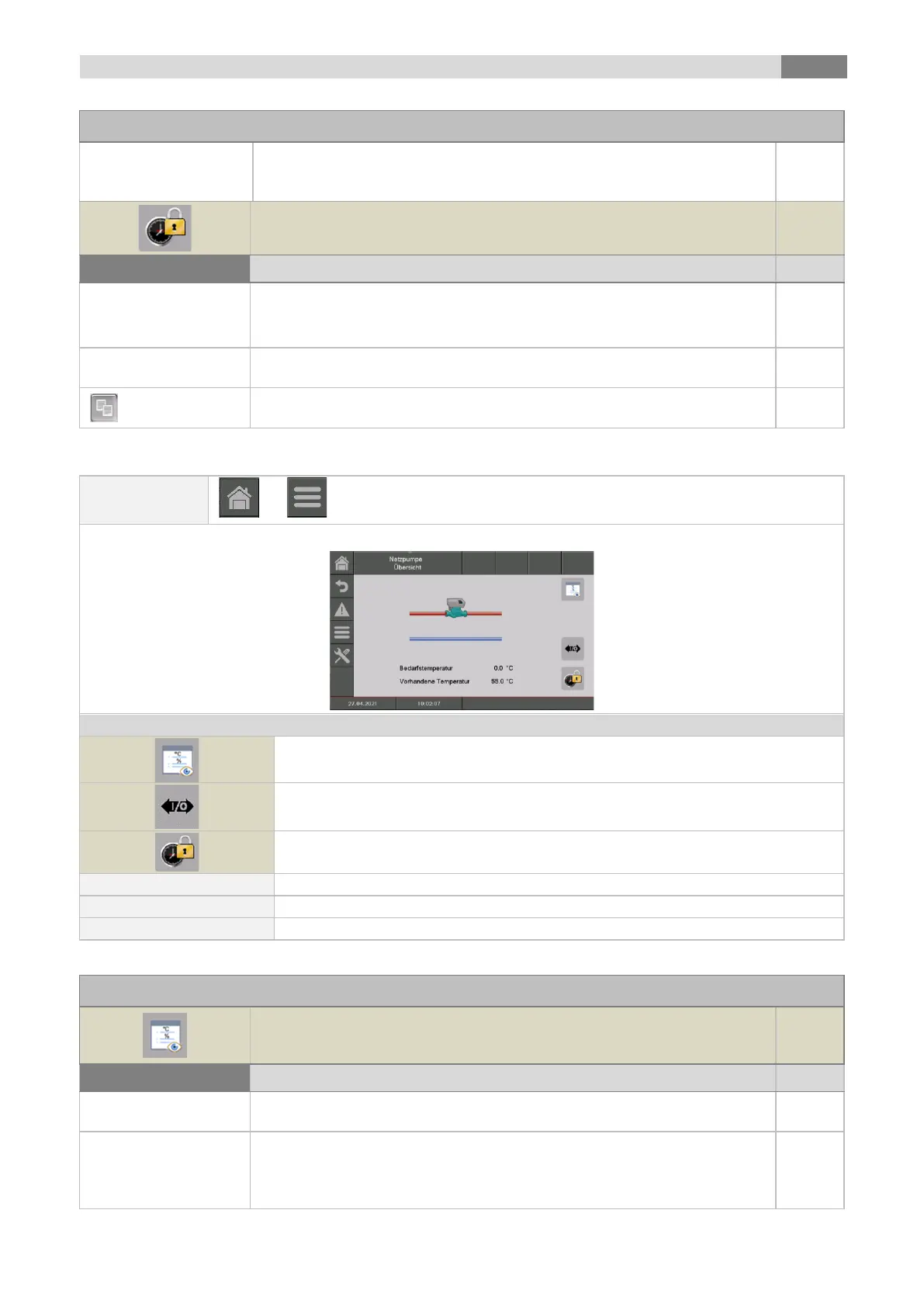
the „Net pump status“ menu will be displayed
the menu for the "Aggregate-Test“ will be displayed
the „barrier times“ menu will be displayed
Indicates the required temperature of the downstream module (e.g.: buffer) in °C
Indicates the flow temperature of the upstream module (e.g.: buffer top) in °C
Indicates the state of the net pump
Indicates the temperature of the upstream module
(e.g.: buffer top temperature)
Indicates the required temperature of the downstream module (e.g.:
buffer)
The required temperature is the temperature, which the upstream module
disposal to the downstream module



 To Next Page