EN
53/138
15 Entering centrifugation parameters
15.1 Direct input of the centrifugation parameters
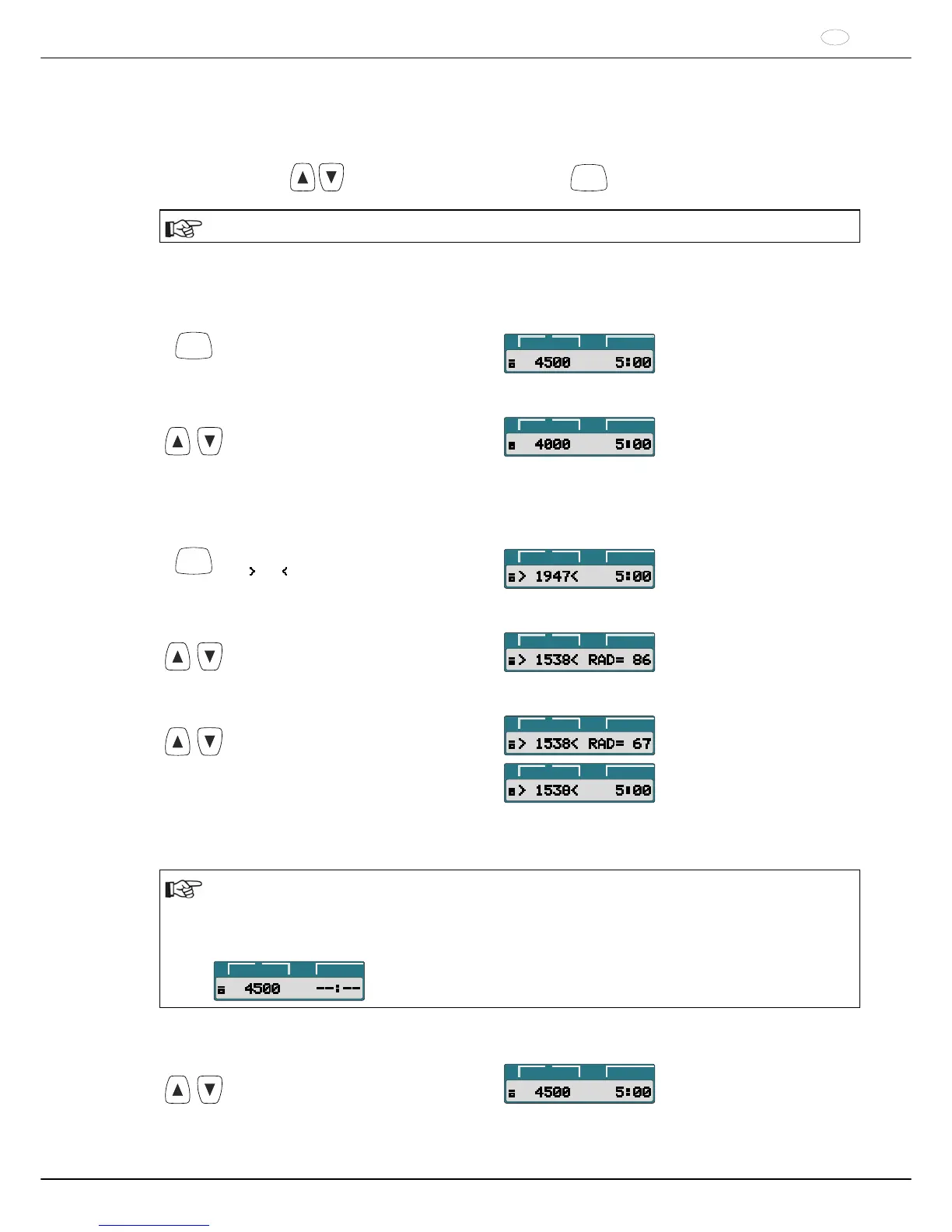
The speed (RPM), the relative centrifugal force (RCF), the centrifuging radius (RAD) and the runtime can be input
directly with the keys
without previously having to press the
SELECT
key.
The set centrifugation parameters are only stored after starting the centrifugation run.
15.1.1 Speed (RPM)
Example:
RCF
Press the key to activate the RPM display
(RPM) as needed.
t/min:s
RPM
>RCF<
RPM/RCF
Set the desired value with the keys.
t/min:s
RPM
>RCF<
15.1.2 Relative centrifugal force (RCF) and centrifugal radius (RAD)
Example:
RCF
Press the key to activate the RCF display
( RCF ) as needed.
t/min:s
RPM
>RCF<
RPM/RCF
Set the desired RCF value with the keys.
t/min:s
RPM
>RCF<
t
Set the desired centrifuging radius with
the keys as needed.
t/min:s
RPM
>RCF<
t/min:s
RPM
>RCF<
15.1.3 Runtime
Up to 1 minute, the runtime can be set in steps of 1 second, and starting from 1 minute, it can only be set in
steps of 1 minute.
In order to set the continuous run, the parameters t/min and t/sec must be set to zero. In the time display
(t/min:s), "--:--" appears.
Example:
t/min:s
RPM
>RCF<
Example:
t
Set the desired value with the keys.
t/min:s
RPM
>RCF<














 To Next Page