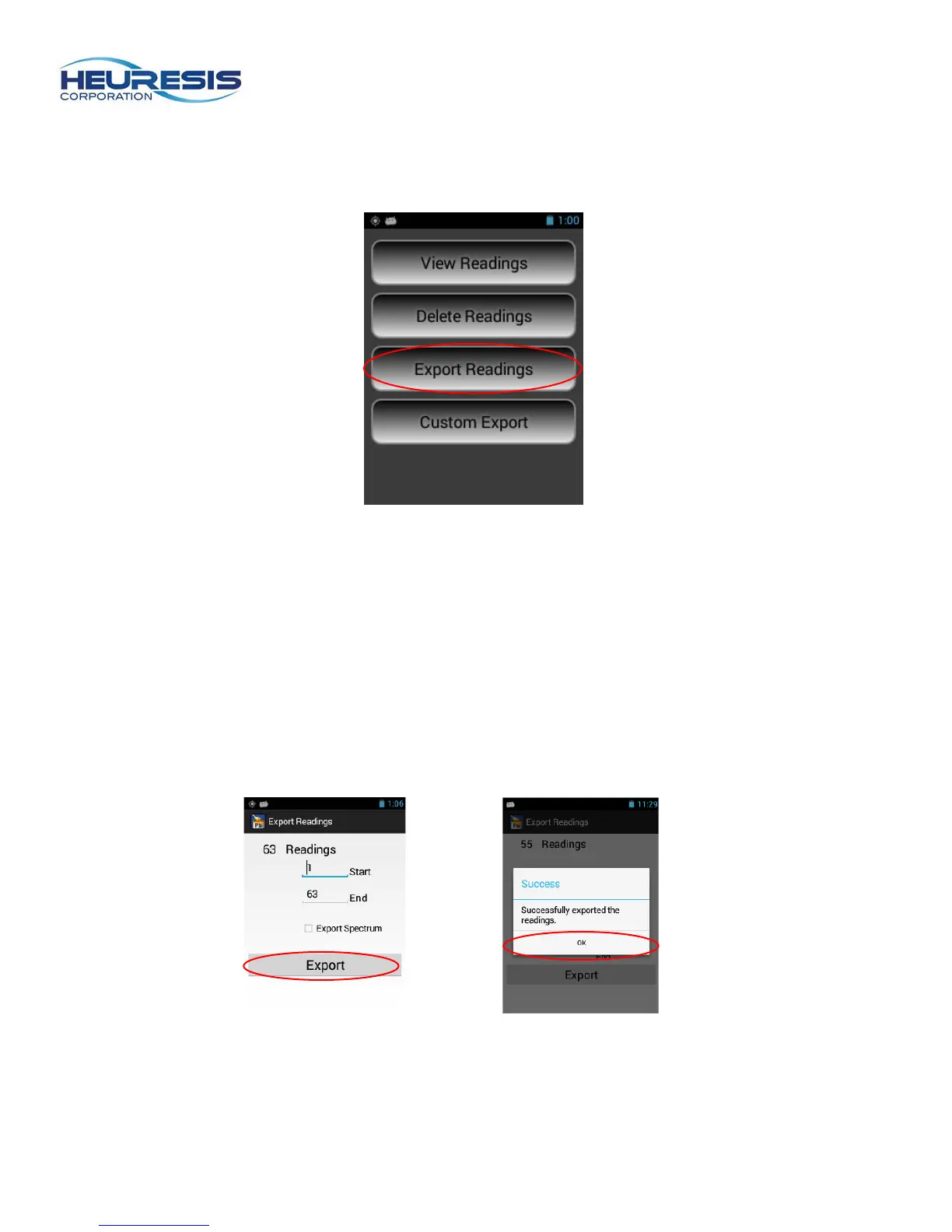
b) Next, select “Export Readings.” (Figure 19)
Figure 19
You can export all the readings, or you can choose a range of readings to download. Select the
readings you wish to download, then hit “Export”” (Figure 20). Once the download is complete
you will receive a confirmation (Figure 21); select “OK.” Check the indicated box if want to export
the x-ray spectrum for each reading with your results. . If you do export the spectra with the
results, you can graph the spectra in Excel. Spectra are exported as separate line items with the
results.
Caution if you check the export-spectra box, there will be two lines of data associated with each
reading. The export-spectra feature is turned off by default. The data is “exported” to a “Readings
Directory” folder (see Figure 25)
Figure 20 Figure 21


 To Next Page