Figure 78 Figure 79 Figure 80
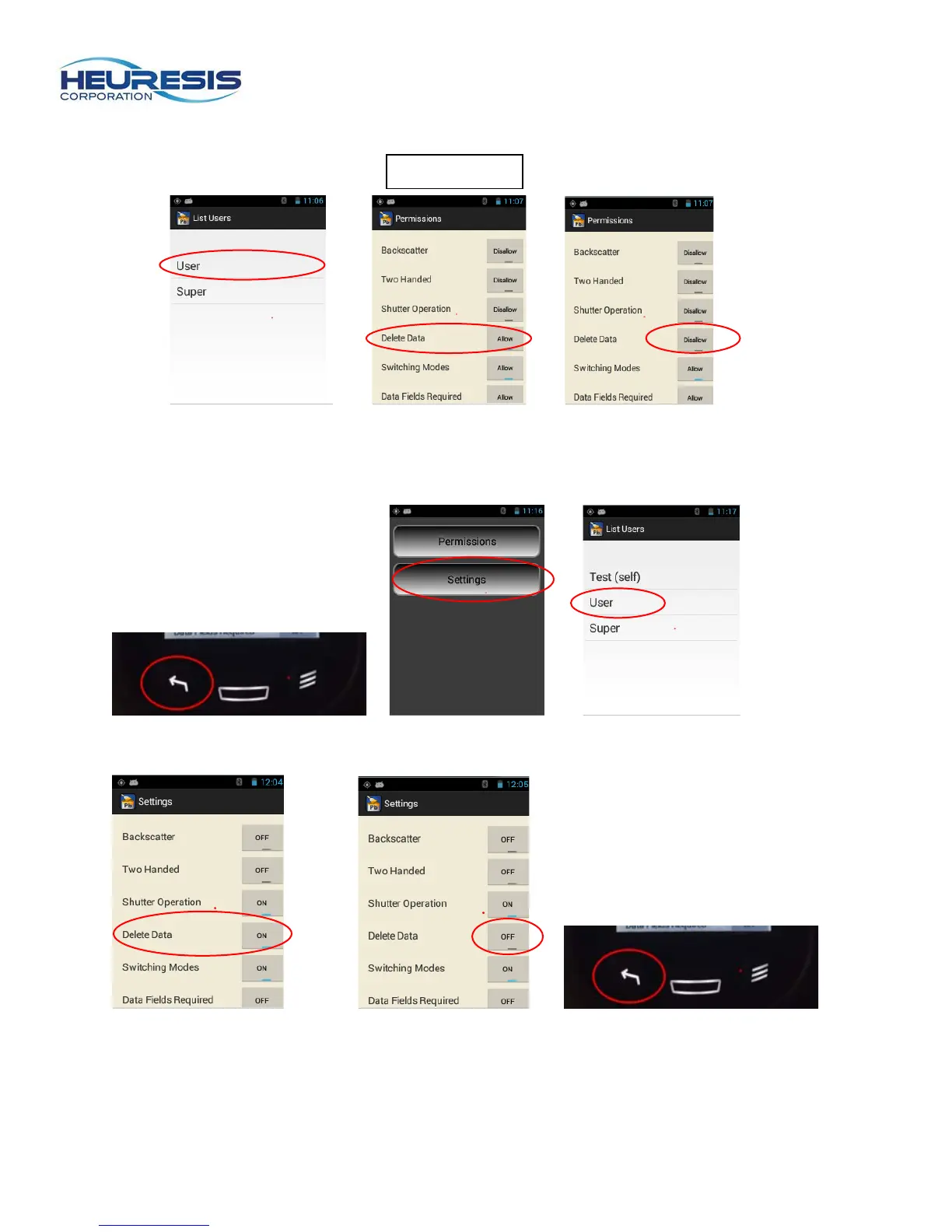
Back out using the left arrow to save, then go to “settings” and select “user.” (Figure 81 to 83)
Figure 81 Figure 82 Figure 83
Turn the “delete data” toggle to the “off” position and back out with the left arrow. (Figure 84 to 86)
Figure 84 Figure 85 Figure 86
In the example shown here, when the user logs in, if they try to delete data, they will see the error
message shown (Figure 87). If they went to their settings, the choice to “delete data” is no longer
available (Figure 88).



 To Next Page