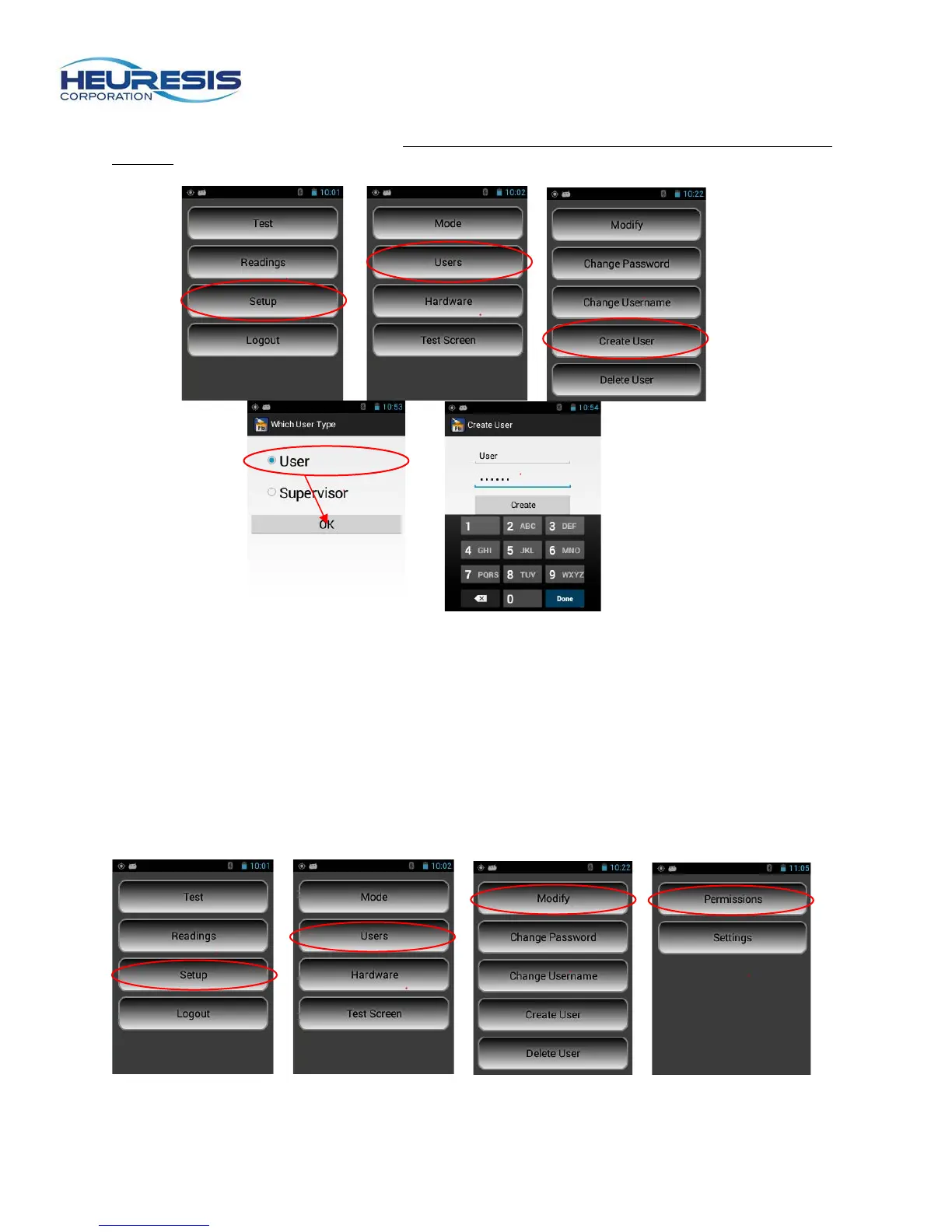
To create a user ID on the Pb200i, start at the main menu. Select setup, then users, then create user.
Select “user” and create a new password. Caution: Only an administrator can set up these rights. (Figure
69 to 73)
Figures 69 to 73
Modifying Permissions
An administrator can modify the permissions for her or himself, a supervisor, or a user. A supervisor can
only modify the permissions for a user.
The example shown here illustrates the administrator revoking the default permission to delete data for a
user’s ID.
Start at the main menu. Select setup, then users, then modify, then permissions. (Figure 74 to 77) Select
the user and change “allow” to “disallow.” (Figure 78 to 80).
Figure 74 Figure 75 Figure 76 Figure 77



 To Next Page