Transferring the Data
You can transfer data to your computer via the supplied mini USB cable or using Wi-Fi.
Using the USB Cable
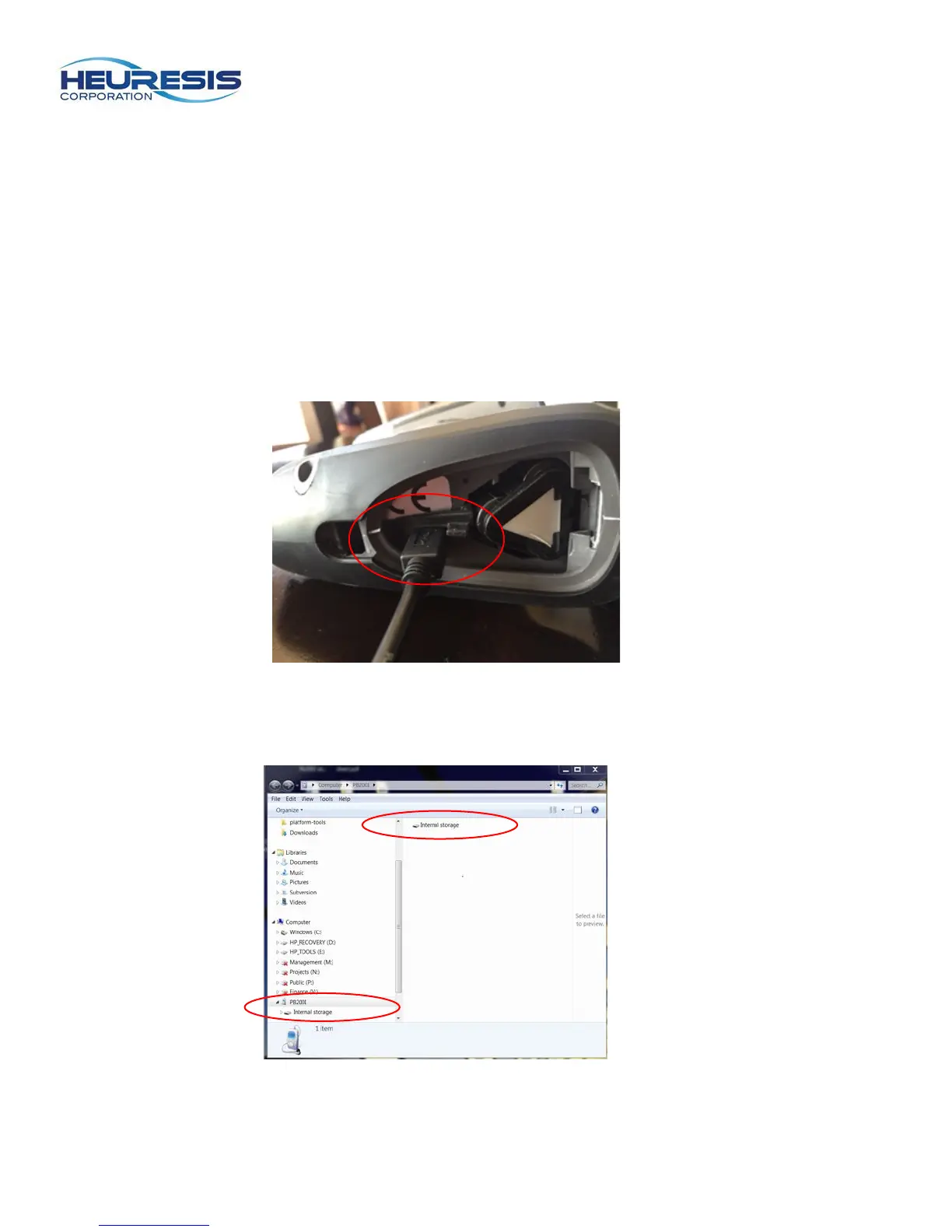
To use the mini USB cable, start by removing the battery door. Insert the USB cable, making sure the
battery wedge remains in place (Figure 22).
Figure 22
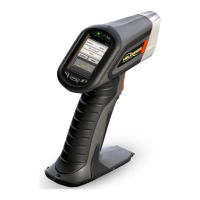
Connect the USB cable to the PC. You will see this screen (Figure 23). You may also get a message on
the analyzer that reads “Allow USB Debugging?” Select “Yes.”
Figure 23


 To Next Page