Creating a User/Supervisor
Creating another user/supervisor ID on the Pb200i lets you easily identify who was using the instrument
for an inspection, and/or restrict certain functions of the instrument to reduce error.
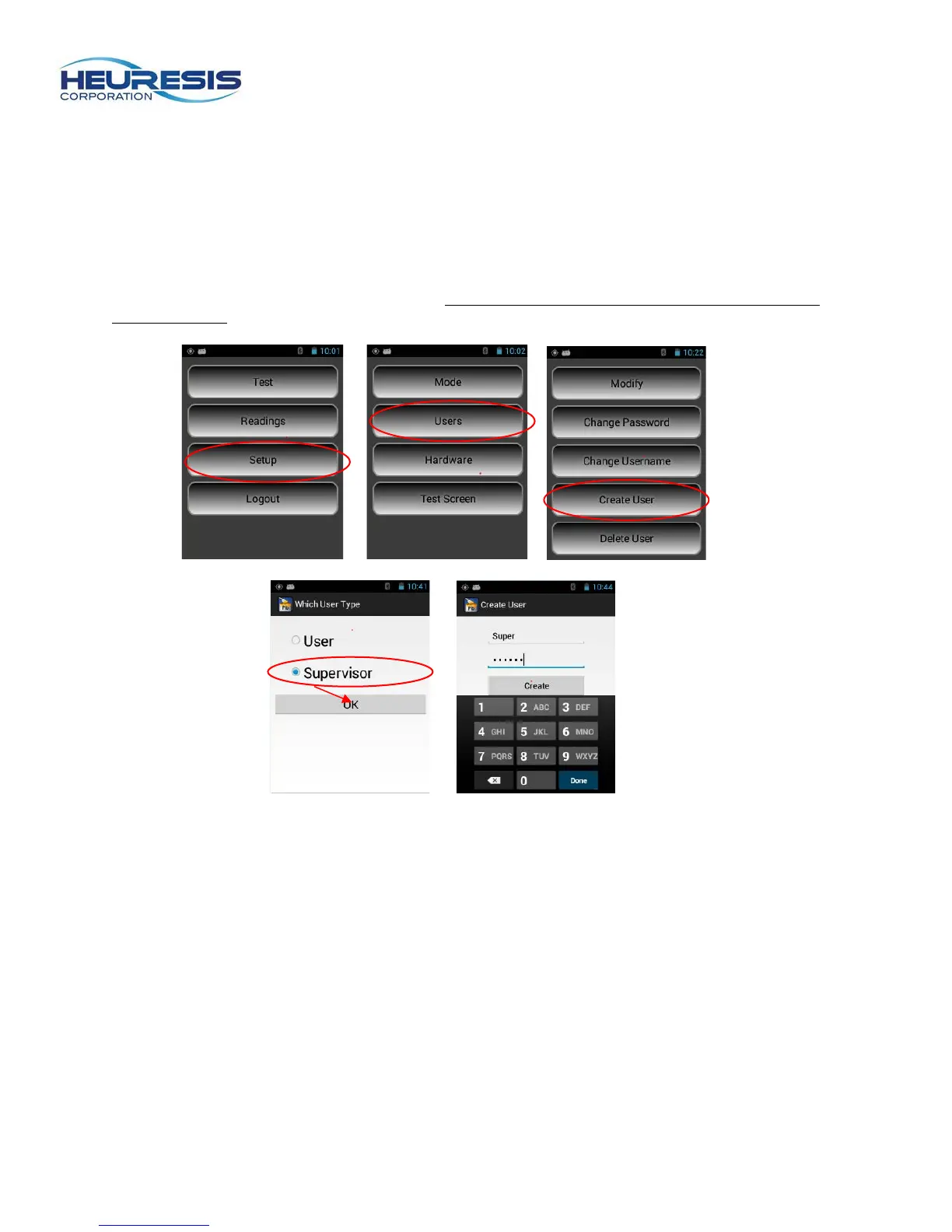
To create supervisor ID on the Pb200i, start at the main menu. Select setup, then users, then create user.
Select “supervisor” and create a new password. Caution: Only an administrator can set up these rights.
(Figure 64 to 68)
(Figures 64 to 68)



 To Next Page