Charging the Batteries
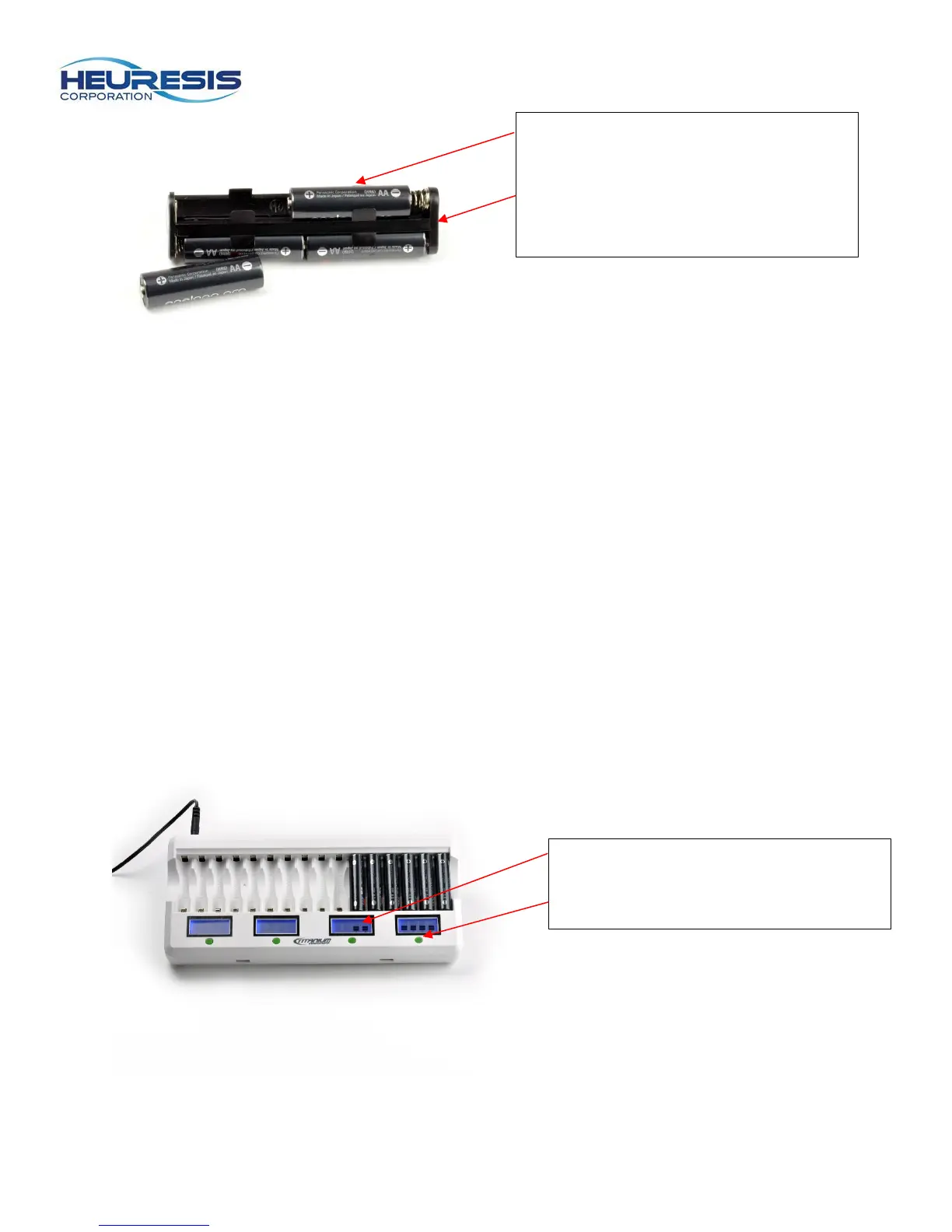
The Pb200i requires 6 AA batteries. Only use rechargeable Nickel-Metal Hydride cells or disposable
Lithium Ion cells (we recommend Energizer Ultimate Lithium). Do not use alkaline batteries, as they
will not provide the proper power for the system.
1. Identify the positive and negative ends of the batteries and insert them into the smart charger.
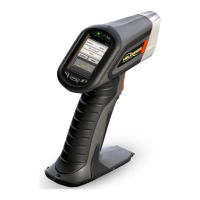
Once the batteries are inserted correctly the LCD will turn on.
2. The batteries are fully charged when you see 4 solid bars on the LCD display and the lights are
no longer blinking. Fully charging the batteries typically takes 5-6 hours. Caution: be sure that
all six batteries are fully charged. If even one AA battery is not fully charged, it will shorten the
battery life of the battery pack.
3. Caution: We recommend using the “Refresh” button on the battery charger at least once every
two to three months. The refresh process typically takes 12 hours. There are four green refresh
buttons, one per each bank of four batteries.
4. Once the batteries are fully charged they are ready for use in the Pb200i.
5. Caution : Do not mix different manufacturer’s batteries in the Pb200i battery holder. This may
cause a reduction in your battery life.
Rechargeable NiMH (Nickel-Metal
Hydride) or disposable Lithium 6 x AA
cell battery holder
LCD display Refresh button


 To Next Page