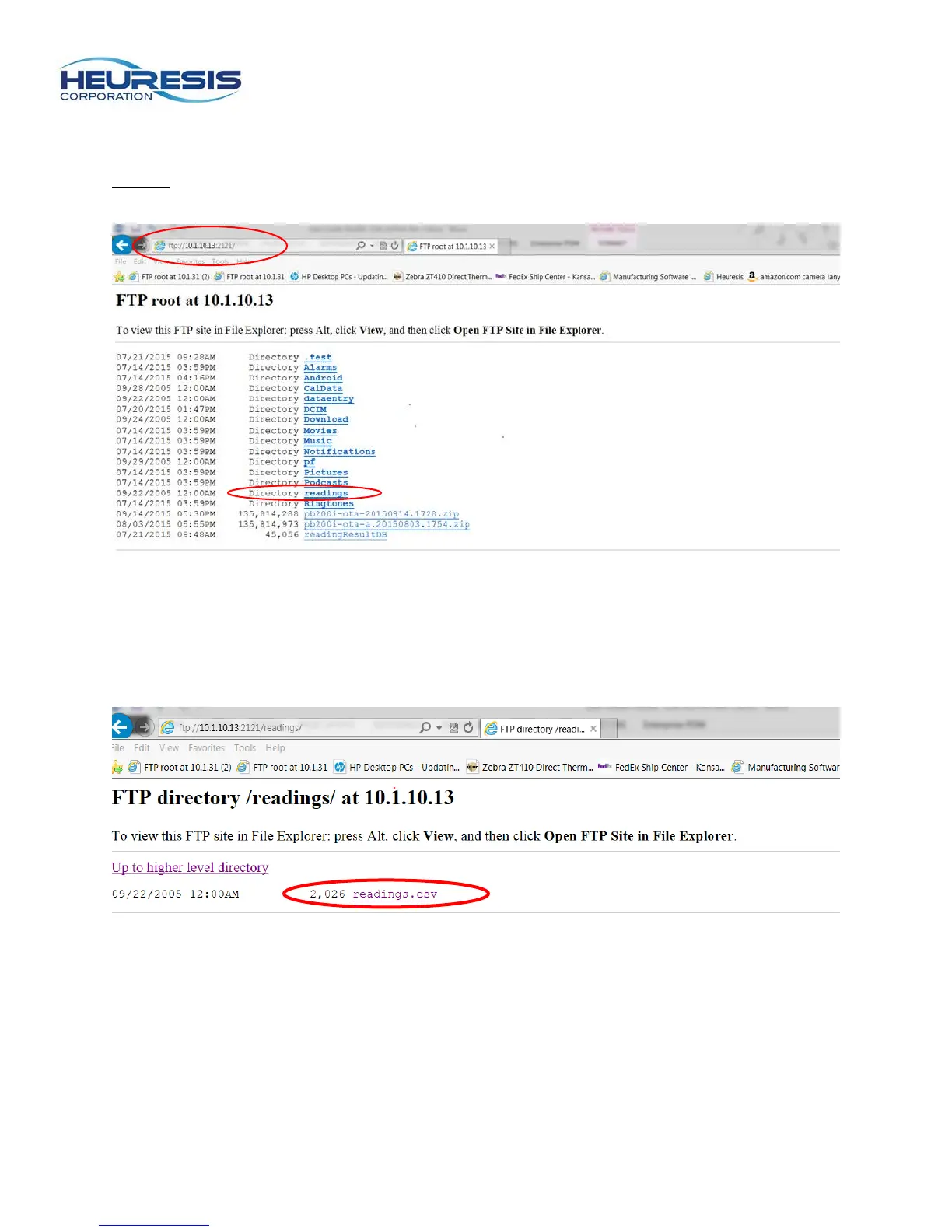
i) Your screen should look like Figure 36. Be sure to bookmark this page in your browser.
Caution: The ID number you inserted in your browser should come up each time you enable the FTP
app. In the event that it does not, simply erase the number that does and repeat steps g and h. Select the
“readings” folder.
Figure 36
j) At this next screen (Figure 37) select “readings.” You will be prompted to save the readings in a location
of your choice (.csv file format). You can open the file at this time or just save it.
Figure 37


 To Next Page