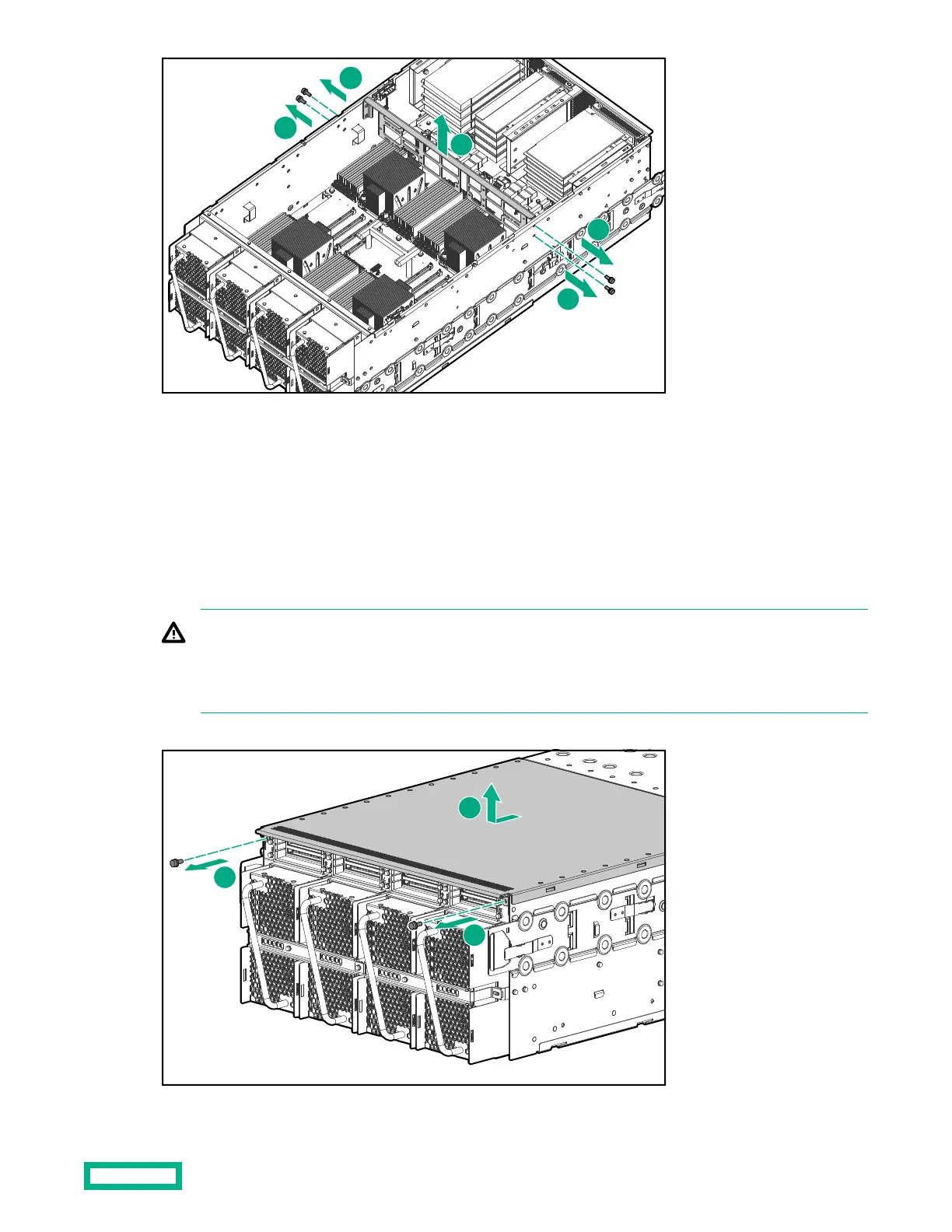
➀ Remove the four T10 screws (two on each side) that secure the bracket.
➁ Lift the bracket out of the chassis.
Removing the bottom cover
Procedure
1.
Flip the chassis over (or access it from underneath).
WARNING:
Always use two people when moving a chassis onto the service shelf, flipping the chassis over, or putting the
chassis back in the rack. A fully loaded chassis weighs approximately 125 lbs (57 kg). Do not attempt to remove
a chassis from a rack by yourself.
2.
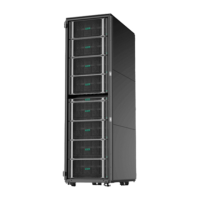
Remove the bottom cover.
Accessing components
33


 To Next Page