Fan replacement
Preparing for fan replacement
Single-chassis system
For a single-chassis system, you can replace a fan while the system is running and stowed in the rack. The remaining fans
will speed up to provide proper cooling. You do not need to remove any cables or slide the system forward or backward in
the rack to replace a fan. Simply remove the bezel to access the faulty fan from the front of the chassis.
Two-chassis system
Procedure
1. To log the hardware status prior to replacing the part, run collect rcu.
eRMC cli> collect rcu
2.
Remove the bezel.
Replacing a fan
Prerequisites
T10 Torx screwdriver (used if a fan brace is installed)
Procedure
1.
Locate the fan to replace on the front of the system.
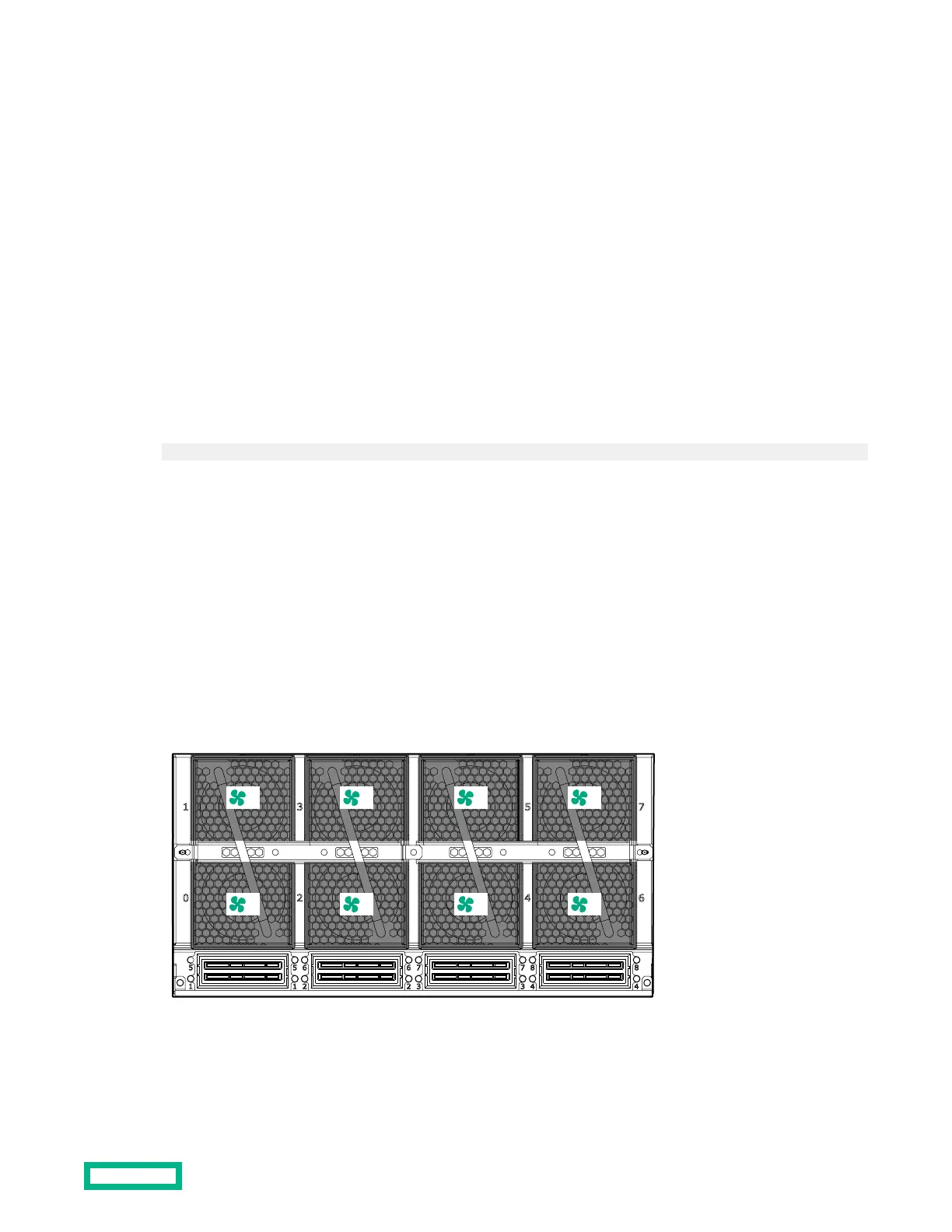
Each of the four fan assemblies contains two fans. See the following illustration for fan numbering information.
2. If a fan brace is installed, remove both halves of the fan brace and discard them.
Fan replacement
40


 To Next Page