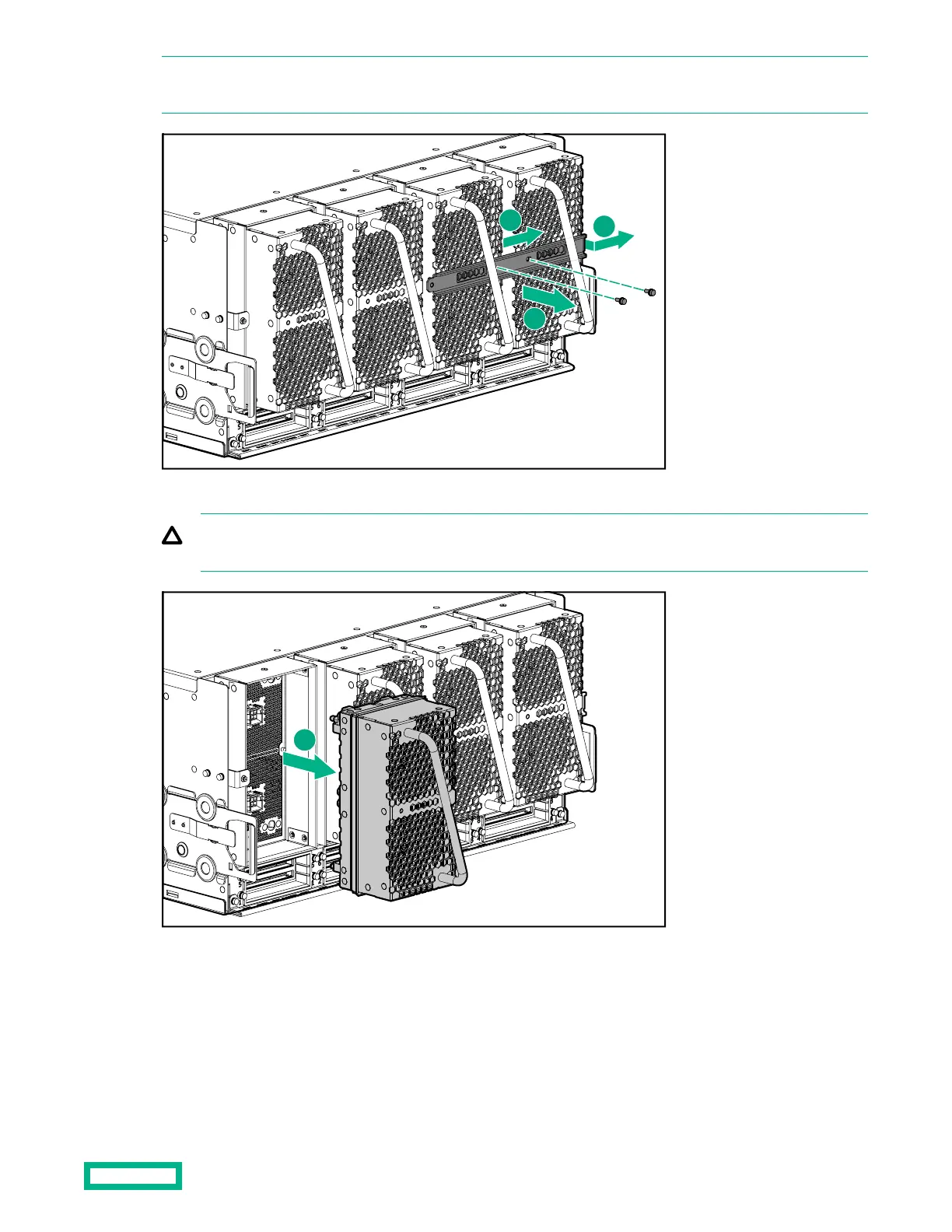
NOTE: A fan brace is installed on a chassis in a racked system that ships without a shock pallet. The fan brace is no
longer needed once the system is installed. Most systems do not ship with fan braces.
3.
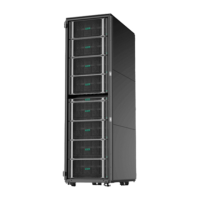
Grasp the handle and slowly pull the fan straight out of the system.
CAUTION: Be careful not to scrape your knuckles on the fan grating. It is recommend you wear protective
gloves when you remove the fan.
4. Hold the replacement fan so the key is facing up.
5. Push the fan into the chassis until it locks in place.
After fan replacement
Fan replacement
41


 To Next Page