Disk drive replacement
Preparing for disk drive replacement
If the drives are mirrored, you can do the following while replacing the faulty disk drive.
• Leave the operating system running.
• Leave the system powered up.
• Leave the system stowed in the rack.
In other configurations, you might need to shut down the operating system before replacing a drive.
Replacing an HDD/SSD
Procedure
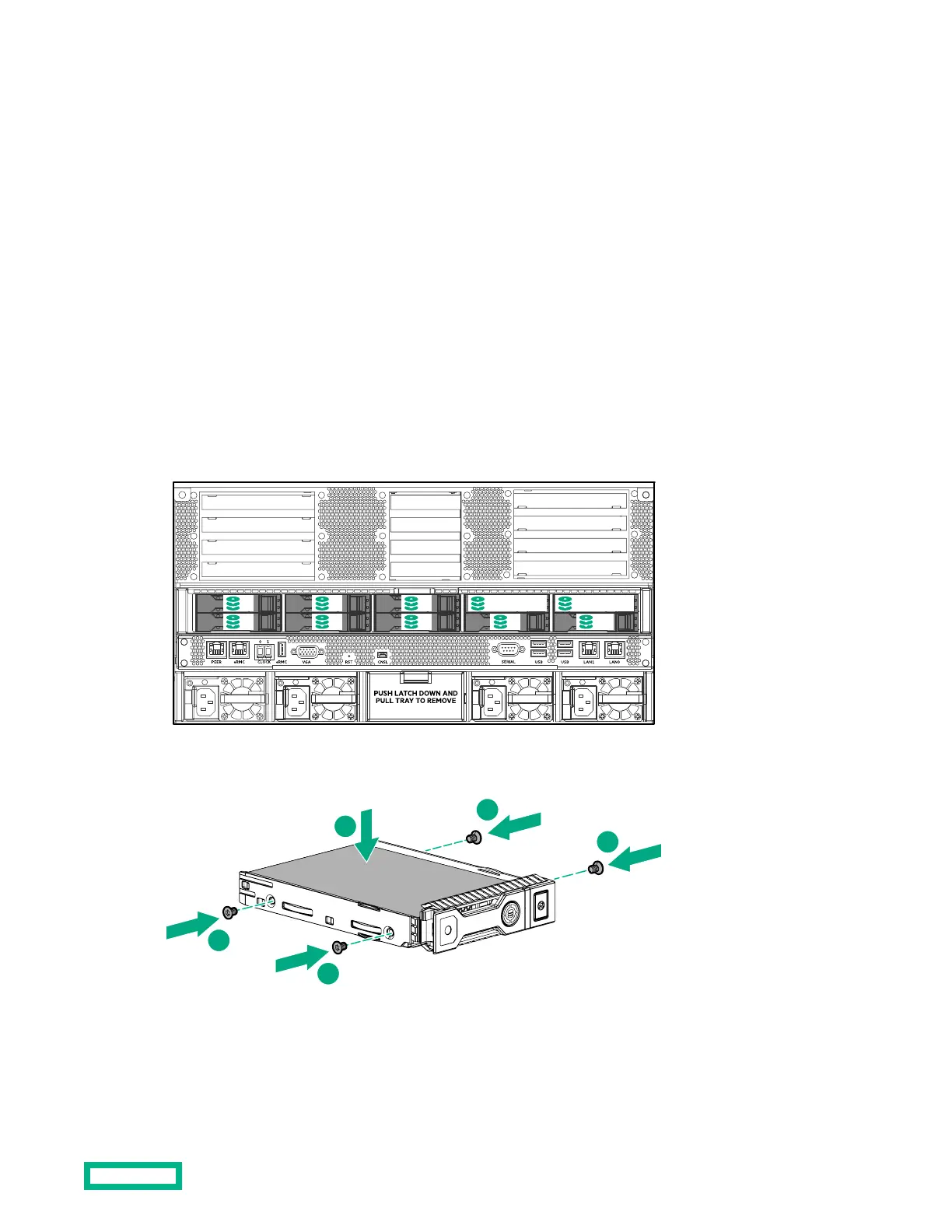
1. Locate the drive to replace.
2
1
4
3
6
5
7
Box 2 Bay 1 Box 2 Bay 2
8
2.
Remove the drive from the chassis.
➀ Release the drive handle.
➁ Pull the drive out of the chassis.
3. Lay the drive on an ESD-safe surface.
Disk drive replacement
35


 To Next Page