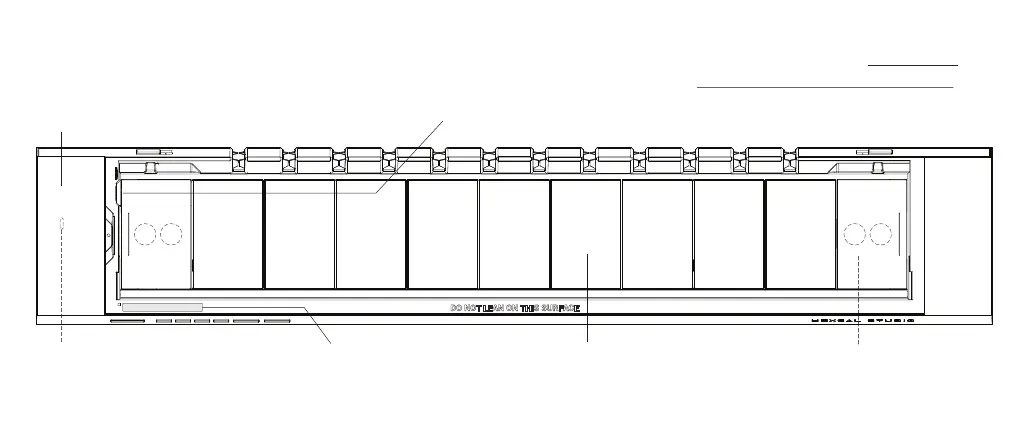
TOP VIEW
(AFTER REMOVING THE ALUMINUM SURFACE)
9
Wireless Charging Module
Capable of charging two devices
simultaneously. Please see Wireless
Charging on p.20 for more details.
Thermal-Resistant Cushion Pads
Prevent slipping and optimize thermal
performances inside the chamber.
Extension Feet
Compartment
Please see First Time Use
on p.11 for more details.
Bridging Ports
Bridge devices inside the chamber to the
external USB slots. Please see Data Bridging
on p.22 for more details.
Firmware Upgrade Port (Hidden)
Must remove the wireless charging module
before using it. Please see Firmware Upgrade
on p.28 for more details.
Unique Serial Number
For further device information and
warranty. Please see Activate and Extend
Your Warranty on p.30 for more details.


 To Next Page