28
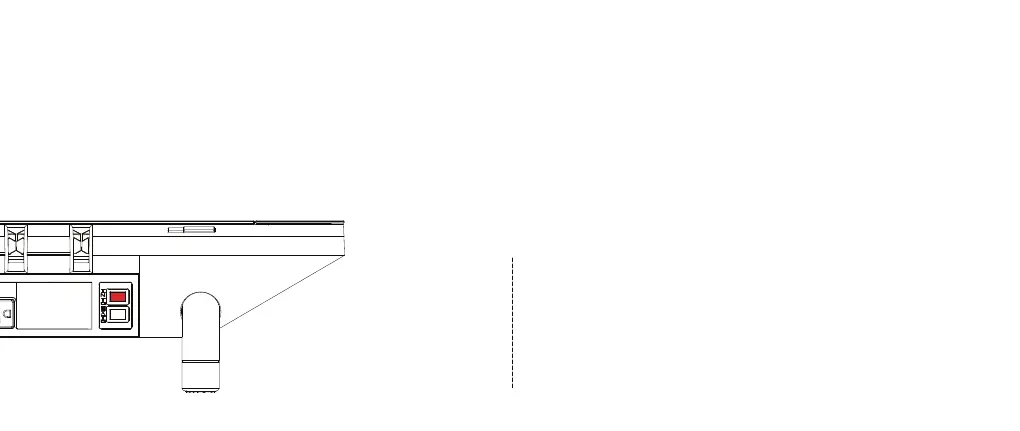
Shut down Studio’s internal power supply. (MUST COMPLY)
There are two ways to shut down the Studio’s power supply:
a) Turn off the INT power switch on the back (highlighted red button in
the diagram, please see p.17 for more details) without stopping the
continuous power supply to your devices.
b) Unplug from the wall power. WARNING: This operation will instantly
cut all power supply to your devices.
POWER button in the light control pannel will turn off if the internal power
supply is successfully shut down.
1
Firmware Upgrade
The Studio is designed to be fully upgradable to optimize its
performance. Please register your device with its USN (unique
serial number, please see p.30 for USN detail) at hexcal.com to
access information about your subscription, or to extend your
warranty (please see p.30 for Warranty detail).


 To Next Page