23
23
Light System
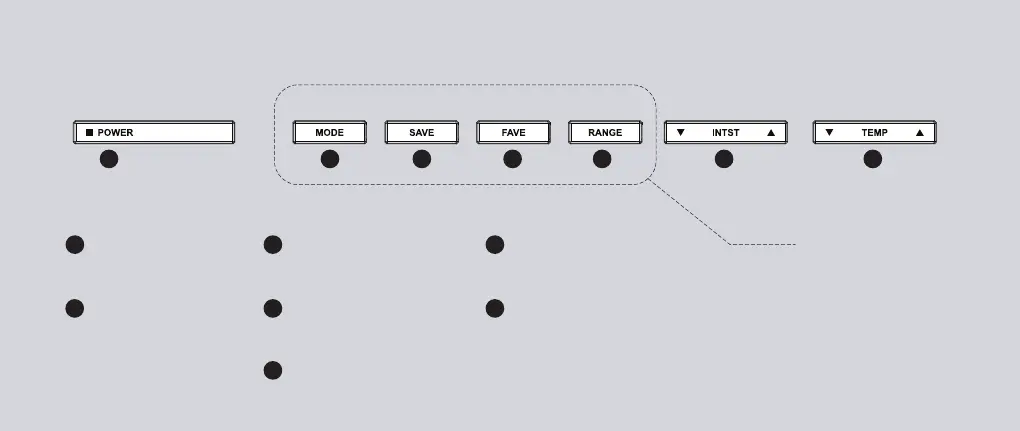
Main Power (POWER)
Press to turn on/off the
light system.
1
1 2 3 4 5 6 7
Preset Modes (MODE)
Press to switch between
different light presets.
2
Save/Unsave Light (SAVE)
Press to save/unsave current
light configuration.
3
Lighting Range (RANGE)
Press to cycle through
different light ranges.
5
Light Intensity (INTST)
Increase/decrease the light intensity. Clicking
will temporarily enter the Configuration
Interface.
6
Browse Saved Light (FAVE)
Press to cycle through saved
configurations.
4
Light Temperature (TEMP)
Increase/decrease the light temperature.
Clicking will temporarily enter the
Configuration Interface. See p.25 and p.26
for more details.
7
Configuration Interface
In Configuration Interface, these
four short buttons will temporarily
become the intensity/temperature
meter. You can click any of them
to instantly quit the configuration
interface.


 To Next Page