20
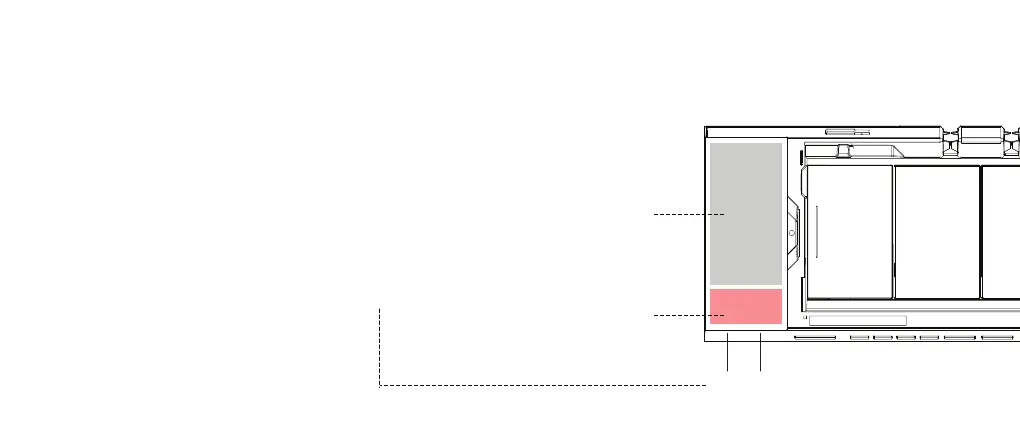
Effective
Charging Area
Wireless Charging
I
Non-Effective
Charging Area
II
Operation Standard
Simultaneously charge two
devices with a maximum of 10W
power each.
Suitable for all Qi-enabled devices,
e.g. iPhone 13/13 Pro/13 Mini/13
Pro Max/12/SE 2020/11,
Samsung Galaxy S21/S20/Note
10/S10, AirPods Pro, AirPods 2,
Pixel 4 and 4XL.
Device Requirement
Device case thickness should be
less than 2.5mm. Not compatible
with metal cases.
Effective Area
The devices should be placed
within the effective area, as
indicated by the grey box.
Independent Power Indicator
The charging status for each
device can be monitored through
power indicators (I/II). Indicators
can only be observed when sitting
in the front of the Studio.


 To Next Page