13
Make sure the devices and equipment are
disconnected and removed from the
surface before adjusting the height.
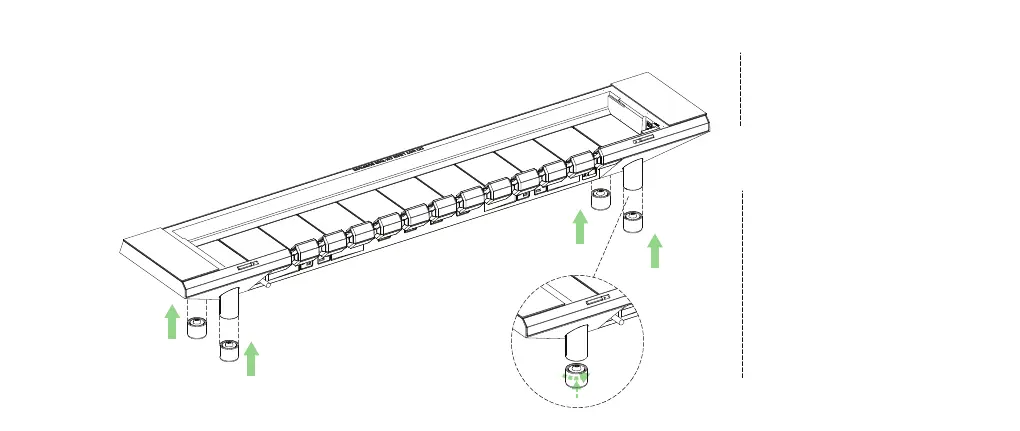
You can increase the height of the Studio
even more by adding Middle Extension Feet
(not included by default, must purchase
separately). Please check hexcal.com for
more information.
5
5
5
5
5
5
Attach the extension feet.
Rotate the extension feet counter
clockwise to fix them on the main feet.


 To Next Page