18
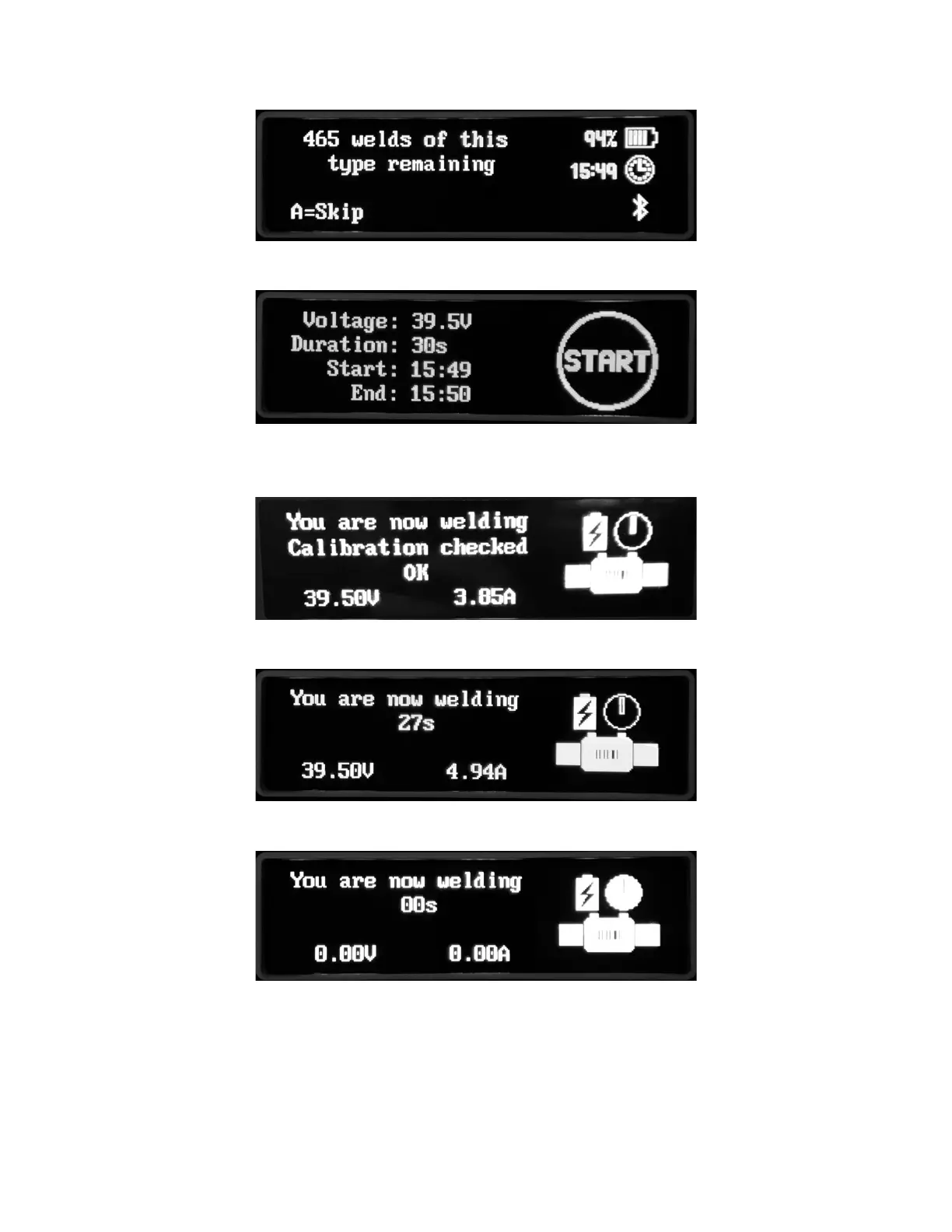
The capacity of the baery is checked and the number of this type of ng that can be fused
is shown.
The ng details are shown. Press the green START buon to begin fusion.
A couple of seconds aer the start, the calibraon is checked. This is the smart-calibraon
check.
As fusion progresses, the welding voltage and current are shown.
The me counts down to zero and the clock on the graphic lls up to show the fusion progress.



 To Next Page