21
USING THE EQUIPMENT – DOWNLOAD DATA LOG
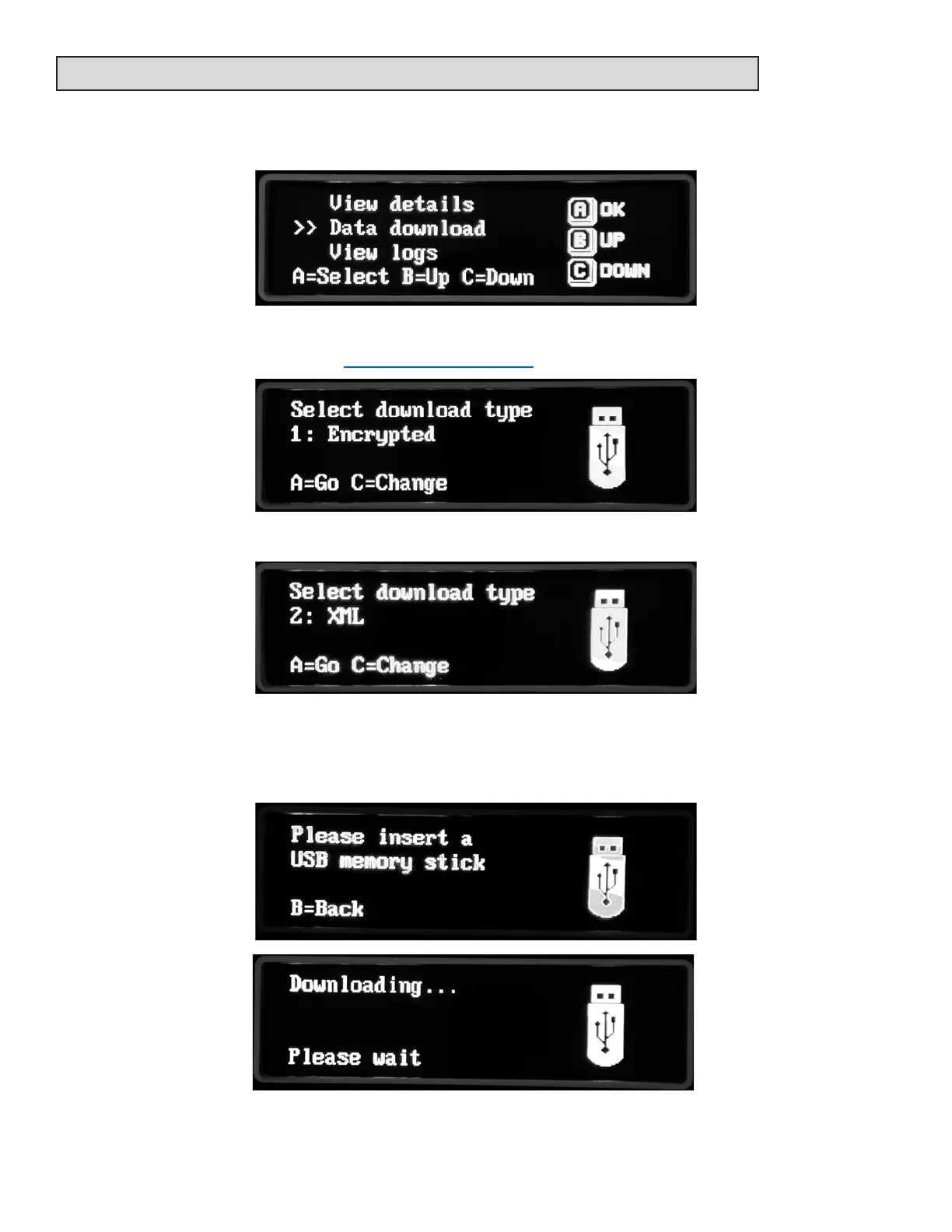
Select data download from the menu.
Select the data download type. The default is 1: Encrypted. This requires supporng soware
to view. Visit www.supercellef.com for more informaon
Opon 2 is an unencrypted XML which can be viewed using most spreadsheet soware.
Insert a USB memory drive into the USB port on the machine. You may have to remove the
barcode dongle rst.
The data log will start to download.
I



 To Next Page