17
USING THE EQUIPMENT – MANUAL WELDING
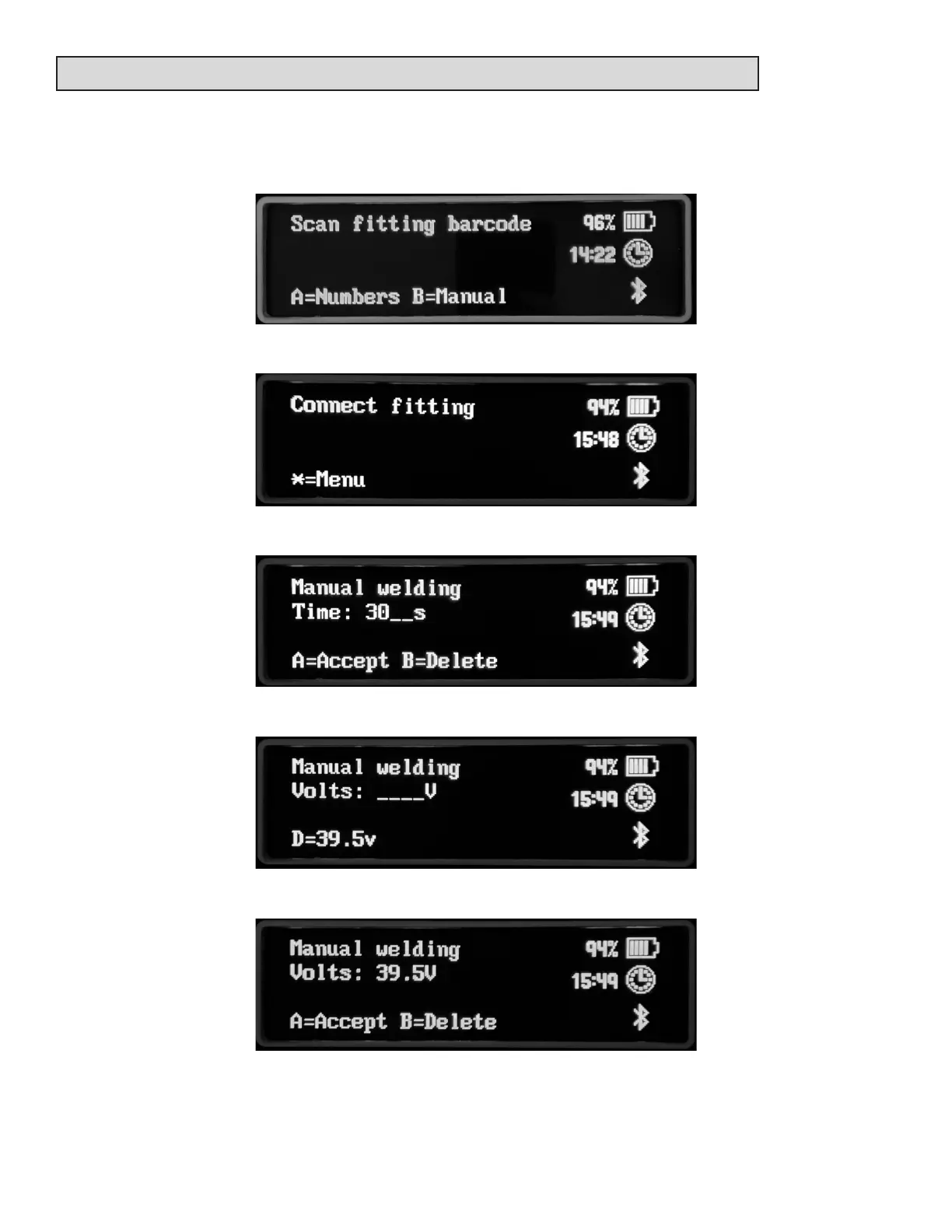
Make sure that a barcode scanner/dongle is NOT aached to the USB port or, during the bar-
code fusion opon, press the B key when the scan ng message is shown.
Connect the output leads to the ng.
Enter the fusion me and press the A key.
Enter the fusion voltage. Press the D key to select 39.5 volts.
When the voltage is entered, press the A key.



 To Next Page