Operation Instructions Predator SS Turntable Stretch Wrapper Operation Manual
Highlight Industries, Inc. ● 2694 Prairie SW, Wyoming, Mi 49519 ● 1-800-531-2465 25
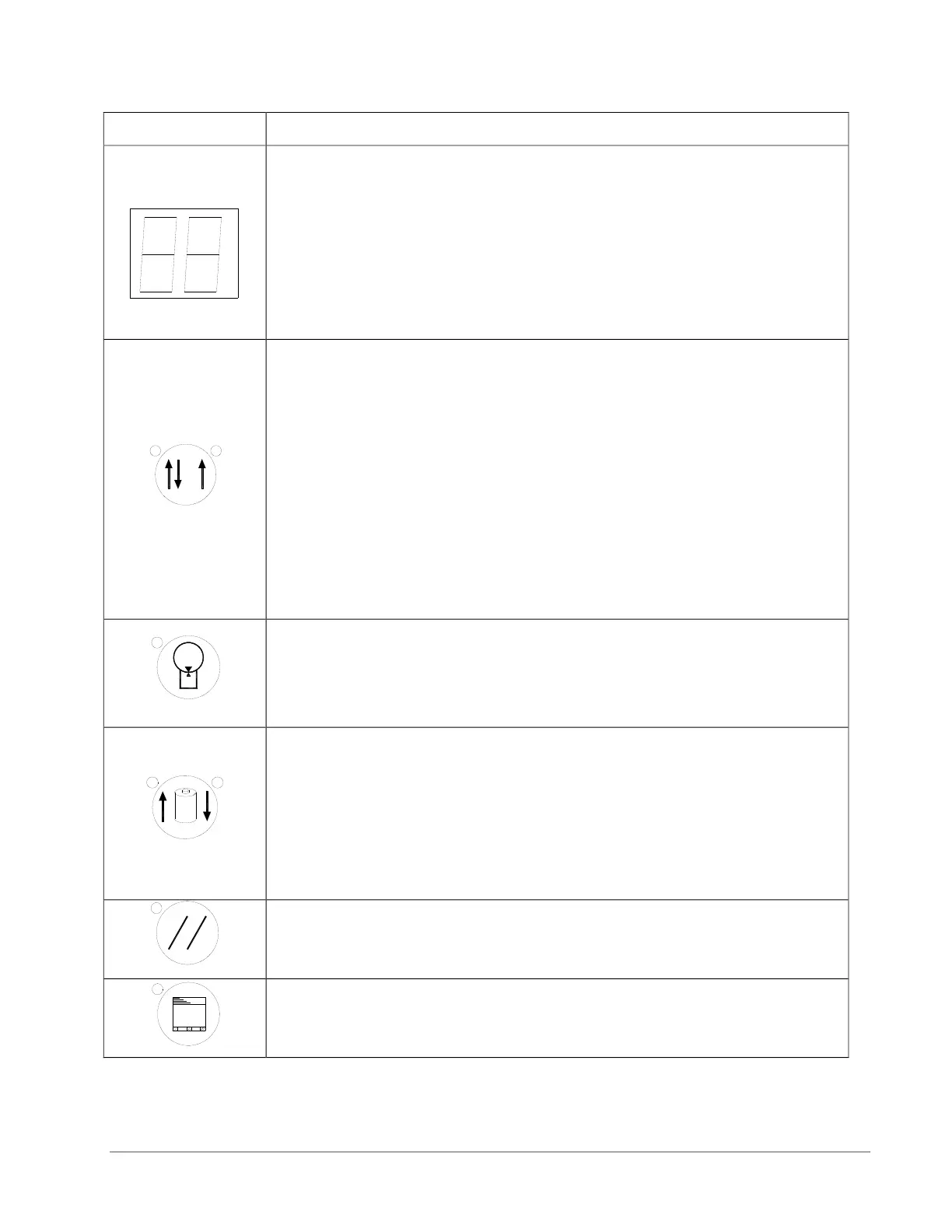
This displays the system information:
EO = Emergency Stop condition
- - = System is normal
- - Blinking = PWS is bad or both carriage up and down are on
A = Mode A is selected
B = Mode B is selected
CO = Continue operation by pushing START button
S = System is in Manual
This displays the selected wrapping mode:
Mode A = The LED light on the button’s upper left is on. In Mode A,
the bottom wrap is applied first, and then the top wrap follows. The
film carriage comes down to its home position after wrapping cycle
is finished.
Mode B = The LED light on the button’s upper right is on. In Mode
B, after a bottom to top wrapping is completed, the carriage stays on
the top. The START button flashes at this point. To resume the
operation, push START. When the carriage reaches the bottom, the
START button goes off. Push START button again to begin a new
cycle.
The TURNTABLE JOG button allows you to manually operate the
turntable. When this button is pushed, the light on the button’s upper
left is on. Push START button to run the table. Pushing the button
again will stop the turntable, and the light will turn off. This button
may be used in conjunction with the CARRIAGE JOG button.
The CARRIAGE JOG button allows you to manually operate the
carriage. When this button is pushed, one of the lights on the
button’s upper right or left is on. The upper left light indicates that
the carriage will go up when the START button is pushed.
Conversely, the upper right light indicates the carriage will go down
when the START button is pushed. To pause the operation, simply
push this button again. Both indicator lights will go off. This button
may be used in conjunction with the TURNTABLE JOG button.
Push this RESET button, followed by a START button, to reset the
system. The turntable will return to its home position, and the
carriage will lower all the down.
Push this TOP WRAPS button to select the number of top wraps
desired (0 to 9).


 To Next Page