Operation Instructions Predator SS Turntable Stretch Wrapper Operation Manual
Highlight Industries, Inc. ● 2694 Prairie SW, Wyoming, Mi 49519 ● 1-800-531-2465 26
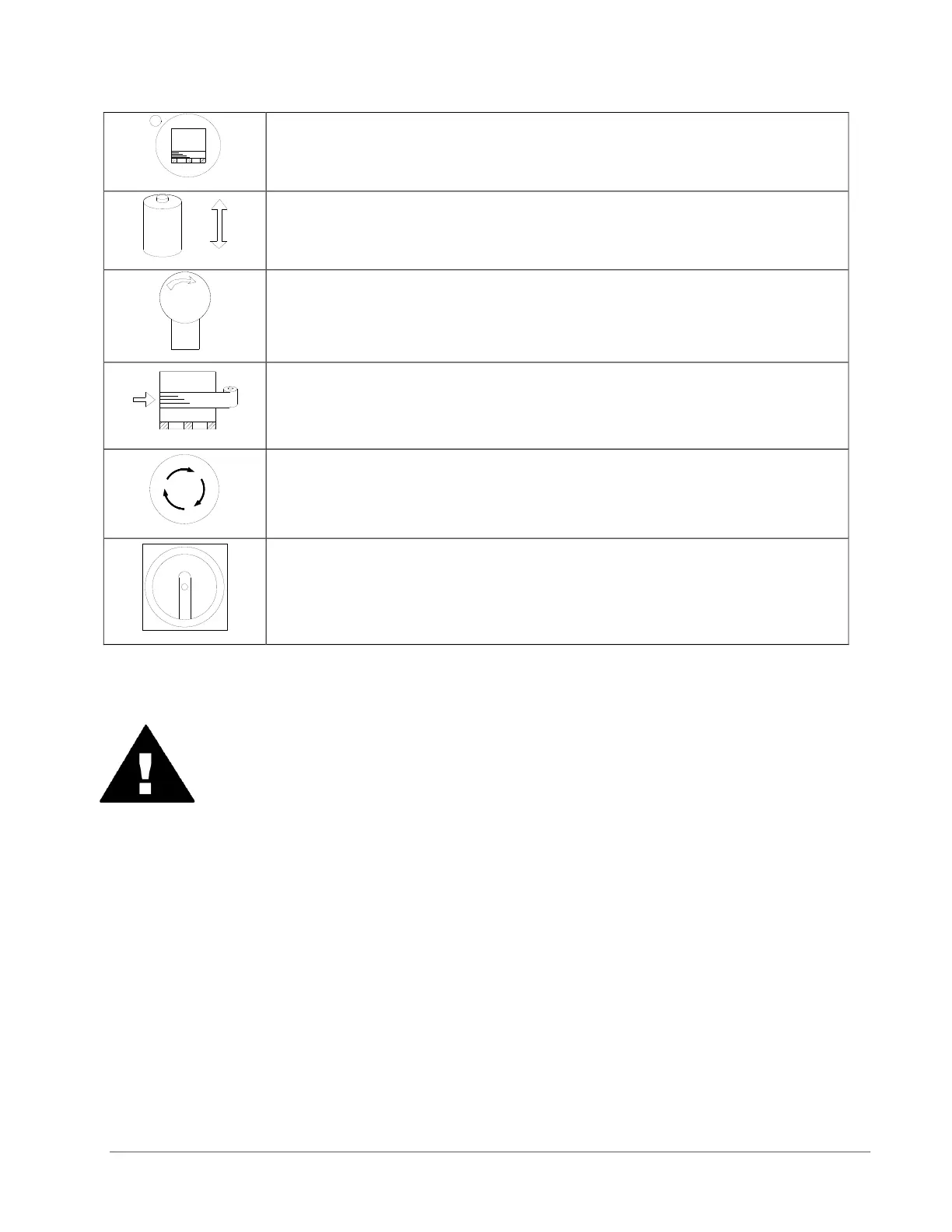
Push this BOTTOM WRAPS button to select the number of bottom
wraps desired (0 to 9).
Turn the CARRIAGE SPEED adjustment knob clockwise to
increase, and counterclockwise to decrease the carriage speed.
Turn the TURNTABLE SPEED adjustment knob clockwise to
increase, and counterclockwise to decrease the turntable speed.
The BANDING button is used for applying multi-layer reinforcing
wraps in automatic or manual mode. Push and hold this button: the
carriage will stop raising/lowering. When released, the carriage will
resume its movement.
The EMERGENCY STOP button stops the turntable in the event of
emergency. This will NOT stop the turntable instantly. The turntable
will coast to a stop, depending on the load’s weight, after this button
is pushed.
This switches the main power ON or OFF.
WARNING!
The FOOT SAFETY BAR, located underneath the film carriage, works only
when the machine is ON. When the bar is activated, the main power will shut
OFF. Releasing the bar will re-activate the main power. Push START button to
resume the operation.


 To Next Page