10
3. Select Device Manager
4. Click on the Storage controllers tab
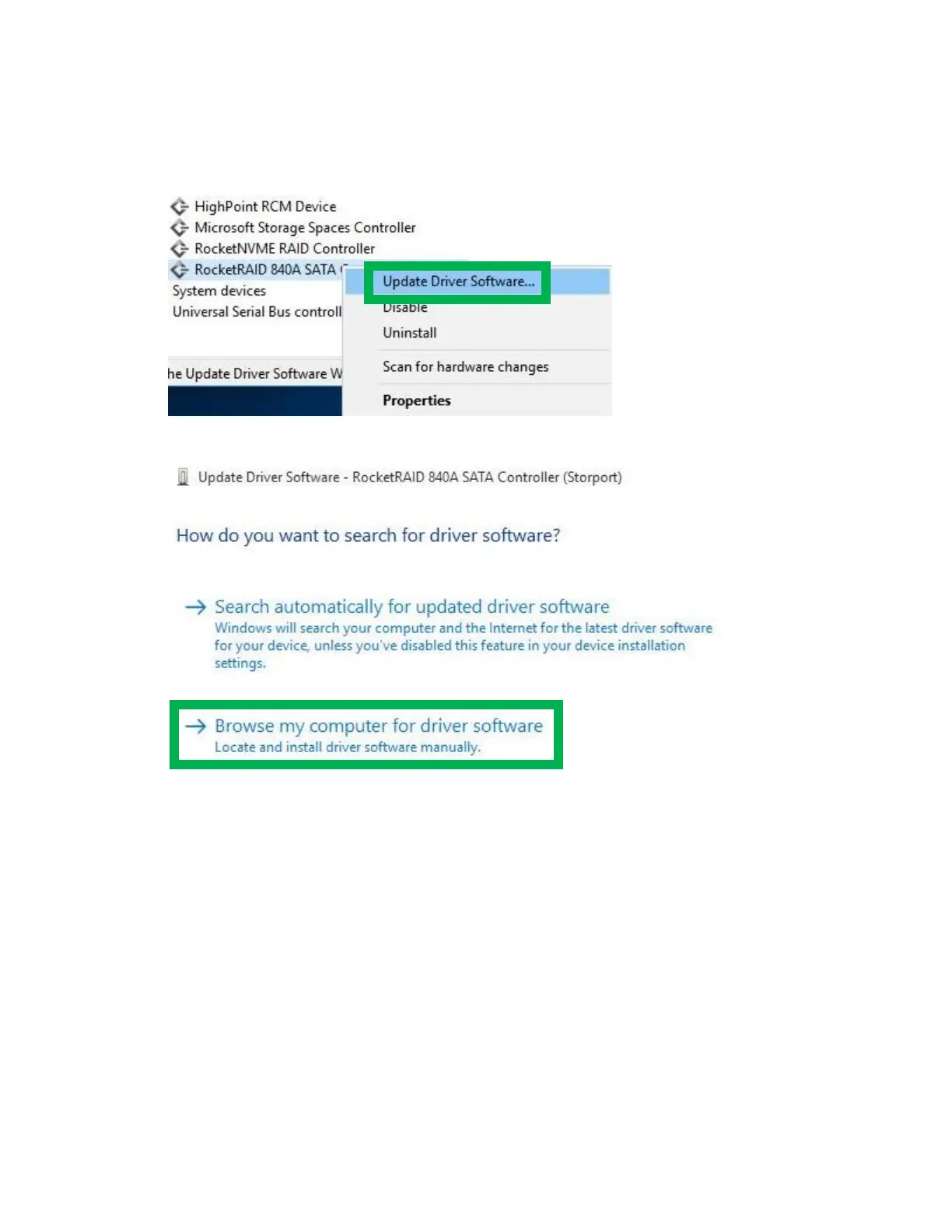
5. Right click on the RocketRAID 840A SATA Controller and select Update Driver Software
6. Click Browse my computer for driver software
7. Select the driver files you downloaded
8. Click Next
9. Restart the system
Uninstalling the Driver
1. Right click the Windows logo on the bottom left of the screen
2. Select Device Manager
3. Click on the Storage controllers tab


 To Next Page