28
Expanding an Existing Array
Important: It is recommended that the array be Verified/Rebuilt before Expanding or Migrating. Once
you start an OCE/ORLM procedure, you can stop the process, but it must be resumed until completion.
To add more capacity to your current configuration follows these steps:
1. Click Advanced Config.
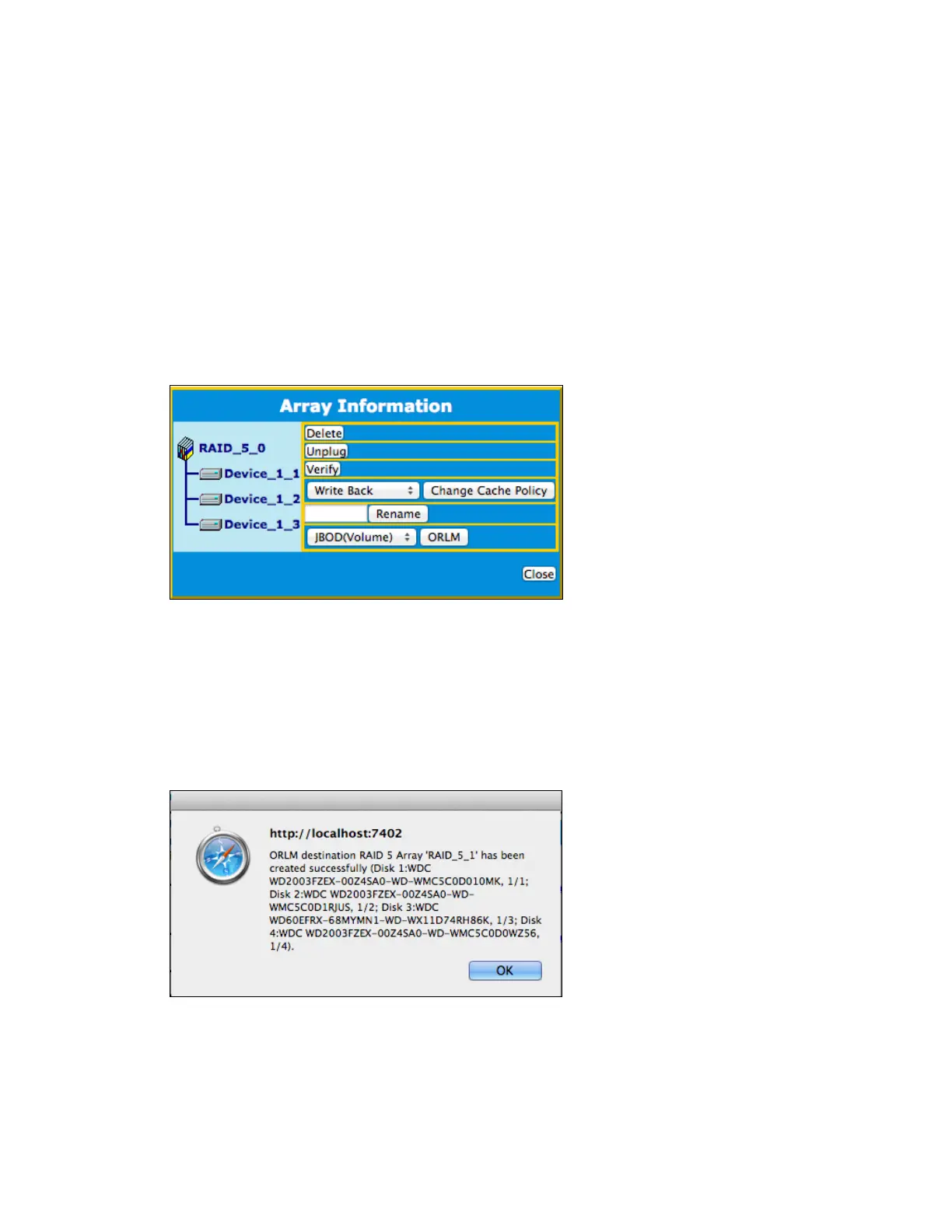
2. Click Maintenance for the array you want to change
a. Select a different RAID level to Migrate. For example, if you want to change a RAID 0
array, you will need to select a different RAID level, such as RAID 5 or 6.
b. Select the same RAID level to Expand. For example, if you want to expand the capacity
of an existing RAID 5 array, you must select RAID 5 from the menu.
3. Important: make a note of all the physical drives currently in the target array.
4. Click ORLM
5. Select the physical drives you recorded earlier (step 5) and the drives you want to add
6. Click Submit
7. Upon submission, you will receive a prompt stating ORLM has been successfully configured.


 To Next Page