11
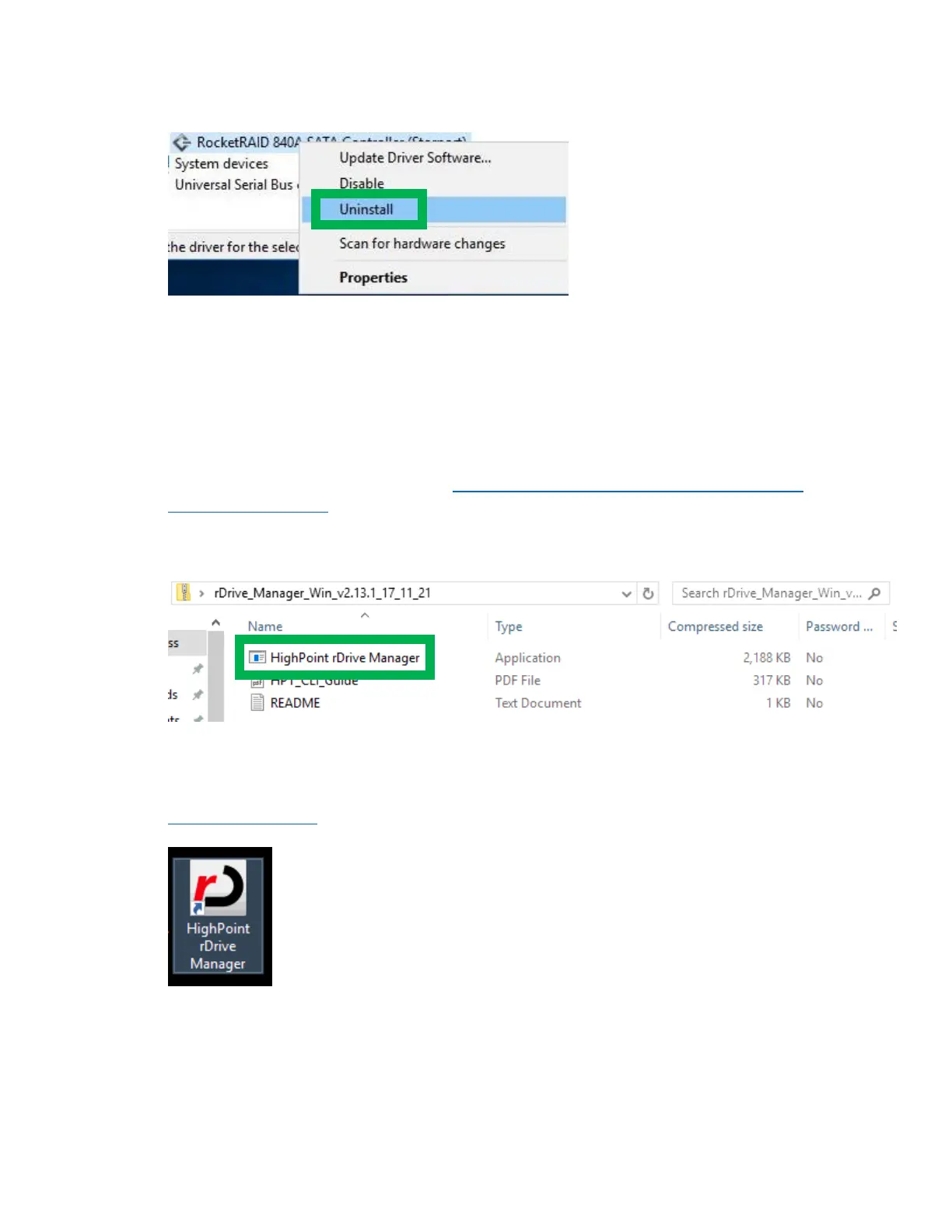
4. Right click on the RocketRAID 840A SATA Controller and select Uninstall
5. Restart the system
Installing the HighPoint rDrive Manager
The HighPoint rDrive Manager is the primary link between you and your RAID array. Using the
management utilities and menus offered by the rDrive Manager, you would be able to access, create,
and maintain your RAID arrays.
1. Download the rDrive Manager files from http://www.highpoint-tech.com/USA_new/series-
rs6628t-download.htm.
2. Locate the folder in which you downloaded the files to and run HighPoint rDrive Manager.exe
3. Follow the on screen steps to install the rDrive Manager software
4. Log into the rDrive Manager by double clicking the desktop icon (see below), or by typing
http://localhost:7406 in your preferred web browser’s address line (we recommend using the
latest browser version


 To Next Page