18
Array Config.
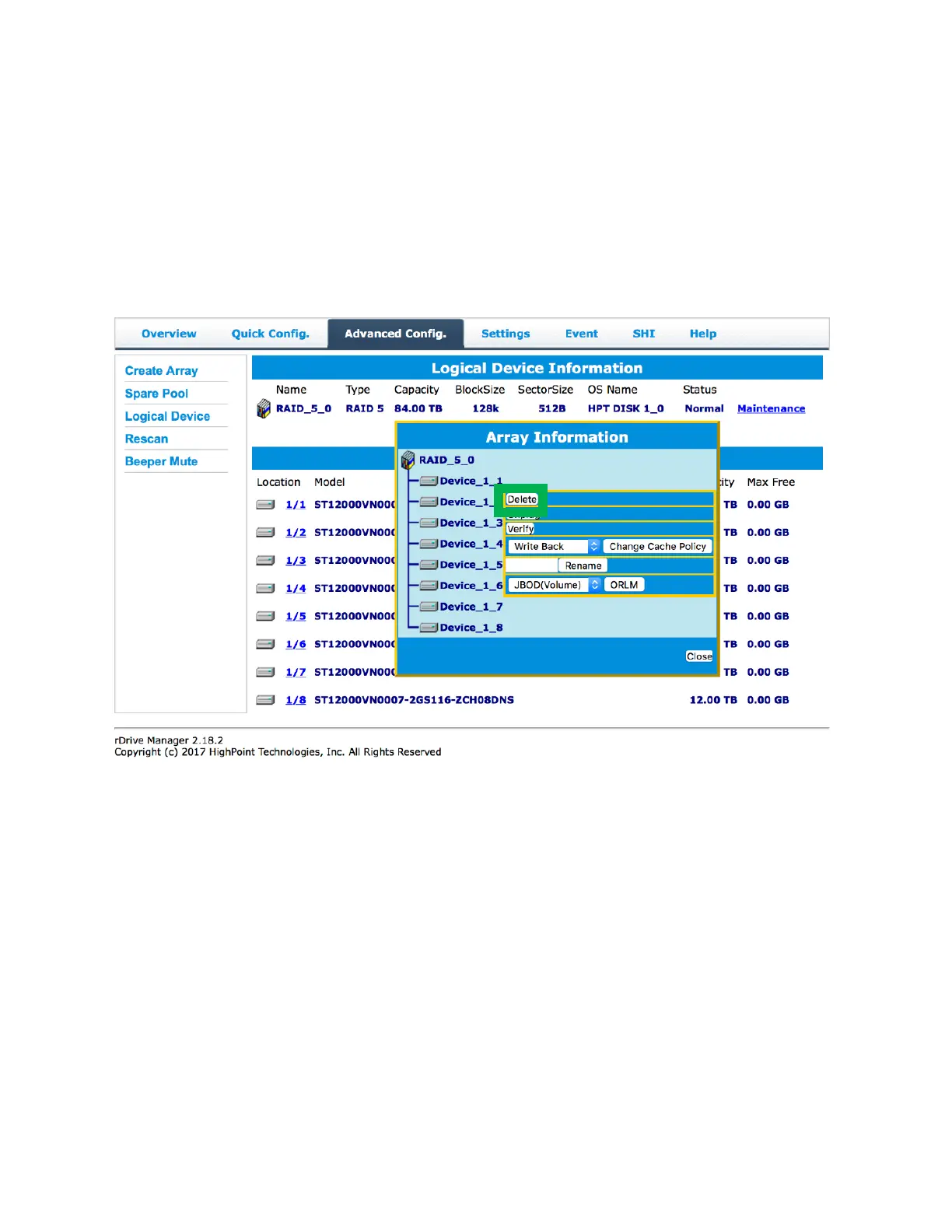
When setting up a new array configuration make sure back up all the data on the disks. Afterwards click
maintenance than delete to set up the disk for the new array.
Delete
The delete function is used to delete the already exist arrays so that the user has free disks to create
another array.
The delete function can be found in the Advanced Config. tab.
Quick Config.
Quick Config. is the easiest and quickest way to configure RAID arrays. Back up all data before following
the on-screen instructions to configure your array.
Advanced Config.
The Advanced Config. tab is where you can edit, delete, and maintain your RAID configurations, as well
as review the Physical Device information.


 To Next Page