35
Event
The event view is a basic error logging tool built into the rDrive Manager
Includes general administrative tasks:
Create/delete arrays
Configuring spares
Rebuilding arrays
Configuring event notifications
Configuring maintenance
Alerts issued by the Host Adapter:
High temperatures
Sector errors
Communication errors
Verification errors
Hardware related problems
Hard disk failure
Broken errors
Memory failure
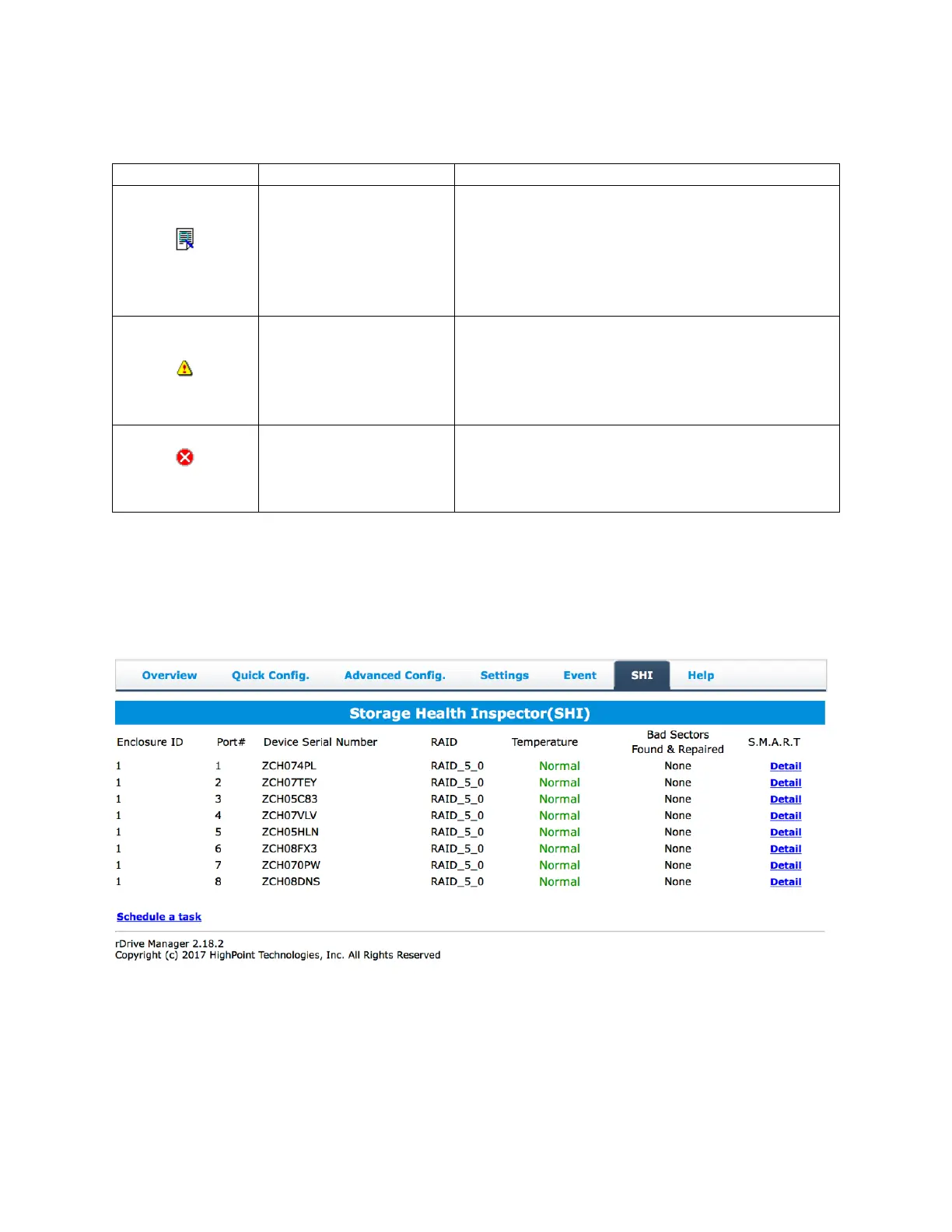
Storage Health Inspector (SHI)
SHI outputs information collected using SMART (Self-Monitoring Analysis and Reporting Technology)
Hard Drive Technology. The data provided on this tab helps you to anticipate any disk failures based on
a variety of monitored hard disk properties.
To enable S.M.A.R.T monitoring, go to the S.M.A.R.T section in the middle of the SHI section and select
Enable and vice versa
Note: Disabling SMART monitoring will disable all warnings related to SMART attributes.


 To Next Page