13
For Windows users
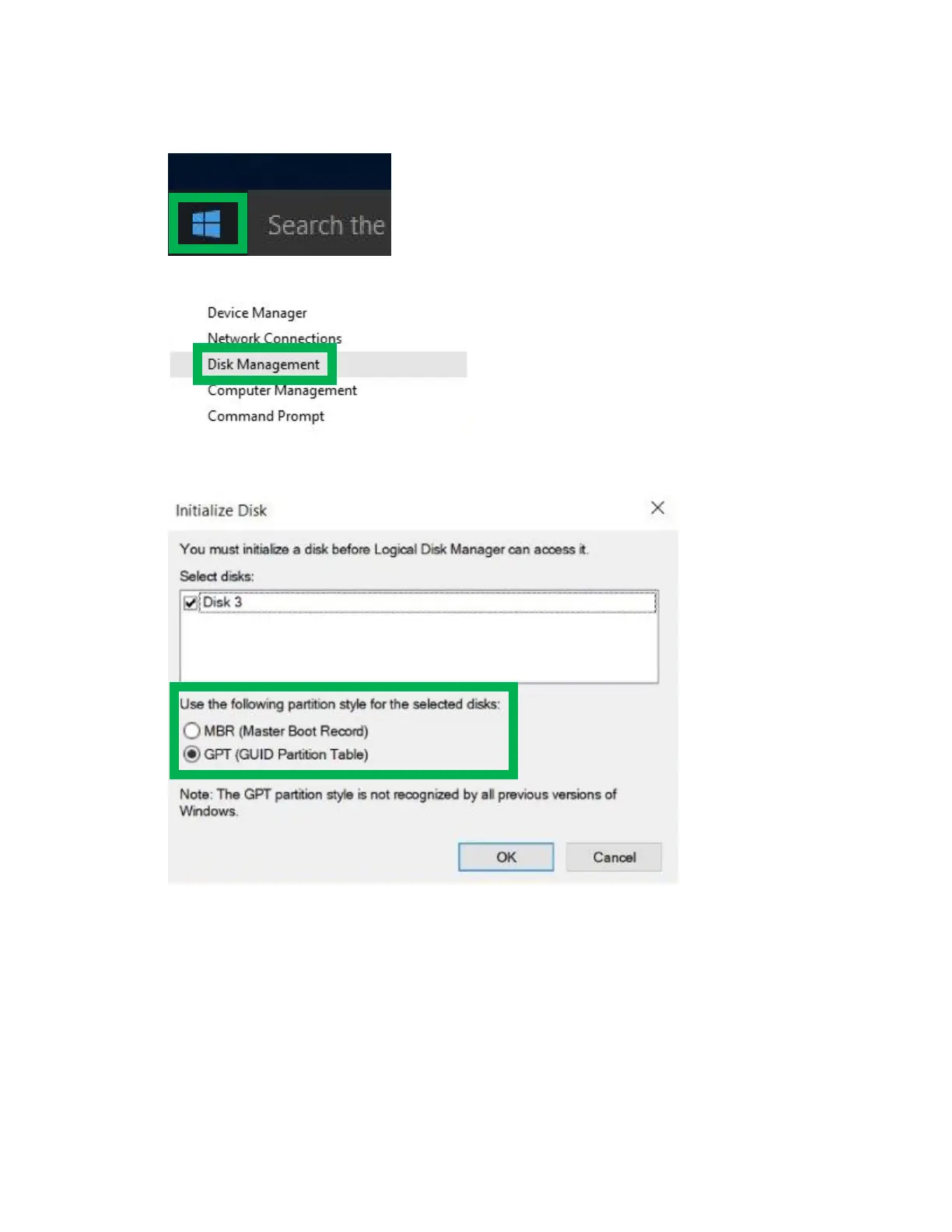
1. Right click the Windows logo on the bottom left of the screen
2. Select Disk Management
3. If you just created the array, a prompt will appear after clicking disk management asking you to
initialize the disk
a. MBR partition table is mainly for bootable drives and has a 2 TB limit. If your PC
motherboard uses legacy BIOS, you will most likely need to use MBR for bootable drives.
b. GPT partition table has no capacity limit, but cannot be bootable unless your PC
motherboard contains UEFI firmware


 To Next Page