15
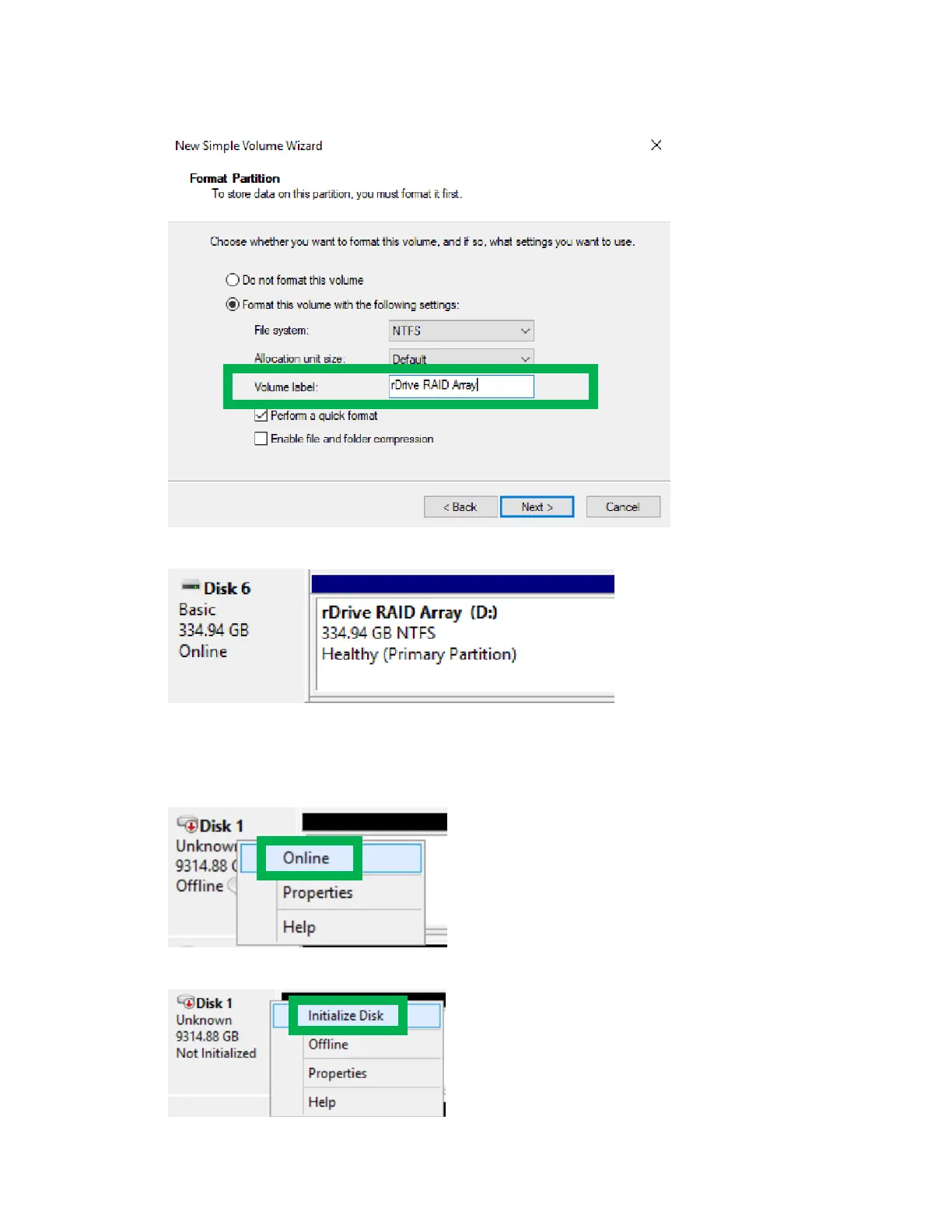
6. Follow the instructions on screen to create a disk name
7. Once finished, the drive will appear in your OS with the name and letter you assigned
Please note your disk may initially appear offline to the operating system and you may have to bring it
online
1. In Disk Management, right click the disk you wish to bring online
2. The disk status will change to Not Initialized, right click the disk again to initialize it.


 To Next Page