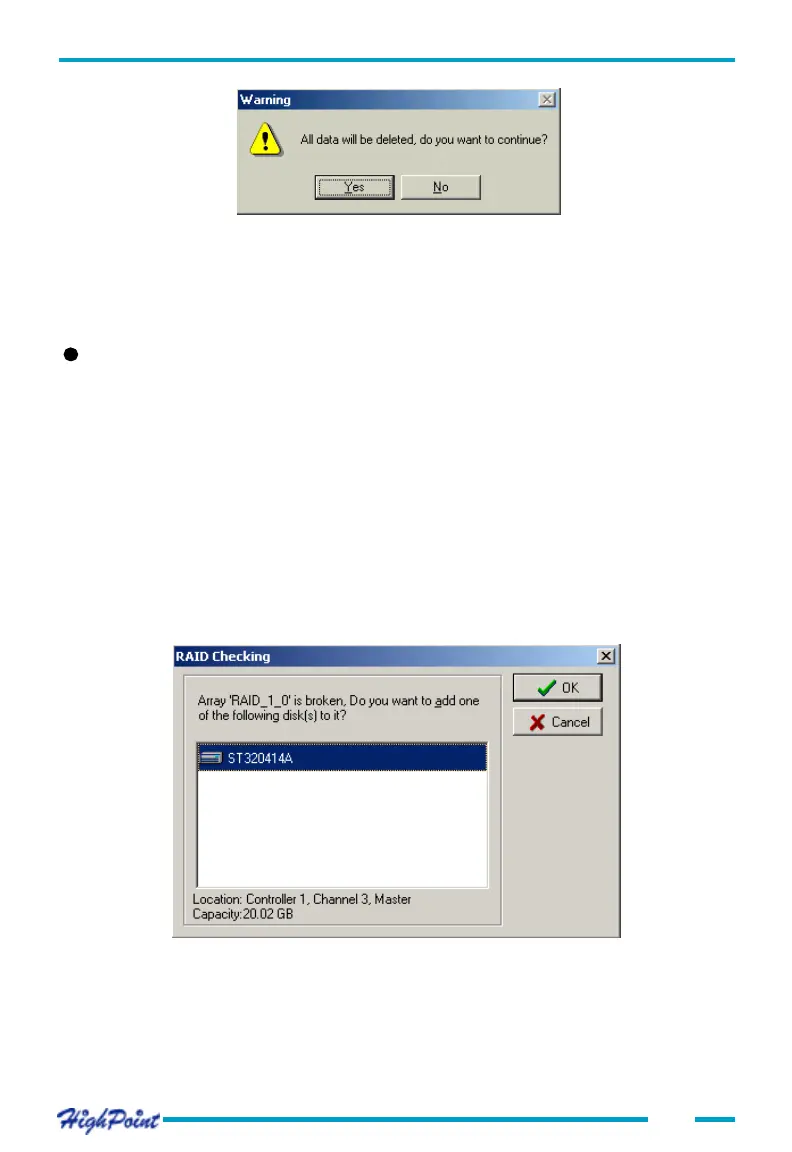
Click Y to delete the selected array, or click N to cancel the operation.
Note: You can not delete arrays that are bootable or are in the process of being dupli-
cated, initialized, rebuilt or verified.
Adding a Disk to an Array
Click on the Management tab, then select the Array Management option from the
menu. If an array is broken, you will have to add a new single disk to proceed with a
rebuild. Select the broken array, then click on the Add Disk button on the toolbar. You
can also click on the Operation tab, and select the Add Disk option.
If this menu option is disabled, then disks cannot be added to this particular array, or
the Add Disk Privilege has not been enabled.
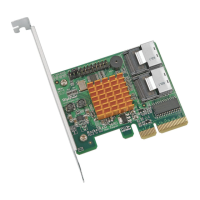
When booting the computer, if one member disk of RAID 1, RAID 1/0 or RAID 5
array is broken, and there is a spare disk can be used to rebuild the broken array,
system will automatically use the spare disk to rebuild the broken array and then
replace data to the target disk, see below:
Press the OK button to rebuild the broken array, press Cancel to exit.
If you press the OK button ,the following window will appear, see the following
page:
4-15
ATA RAID Software




 To Next Page