5
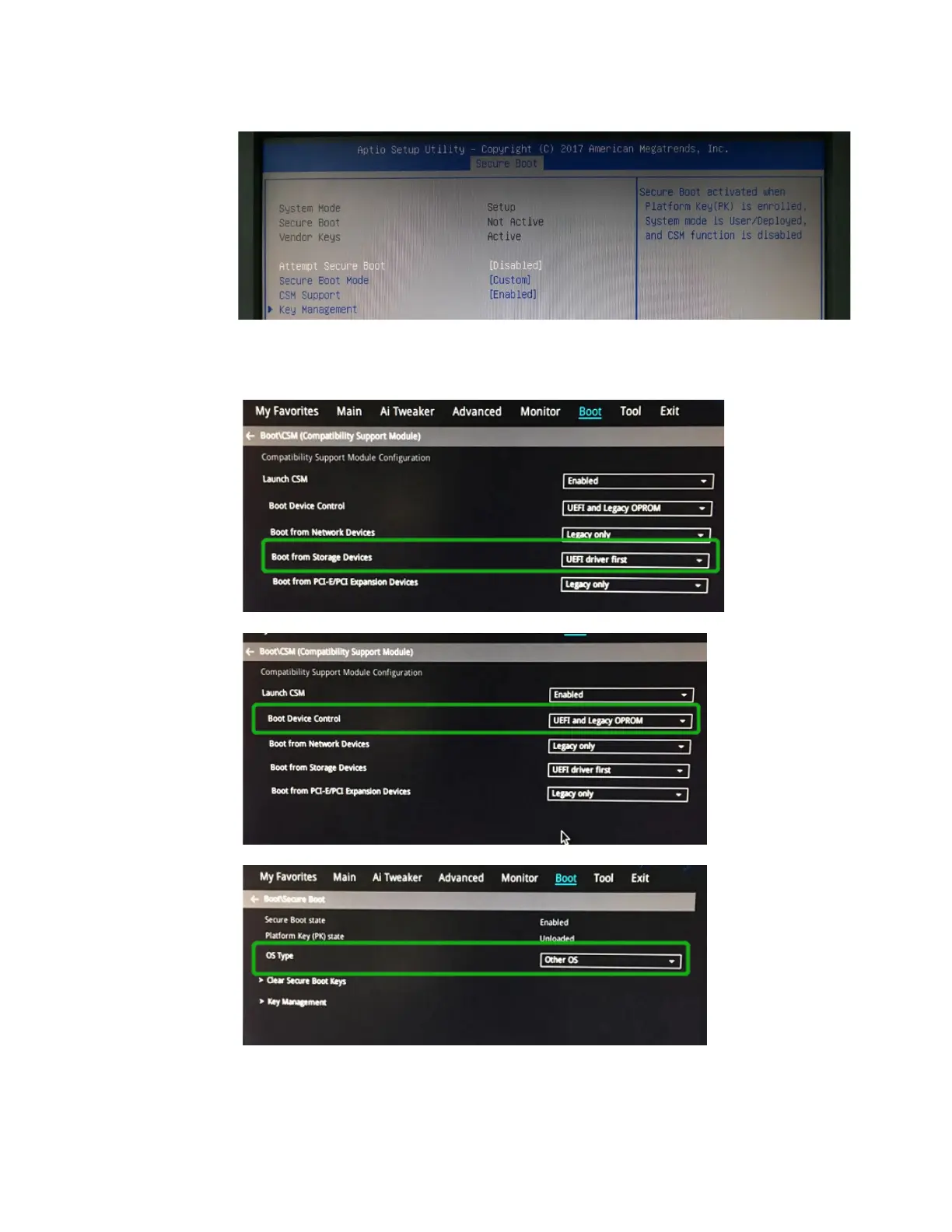
4. Disable "Secure Boot", and set "Attempt Secure Boot" to "Disabled".
2. Example 2: Changing the UEFI setting (ASUS PRIME X299 –DELUXE):
a. Boot the system and access the motherboard’s BIOS menu.
b. Set "Boot from Storage Devices" to "UEFI driver first";
c. Set "Boot Device Control" to "UEFI Only" or "UEFI and Legacy OPROM";
d. Set "OS Type" to "Other OS".















 To Next Page