4
UEFI BIOS Settings
Different motherboards will provide different UEFI-related BIOS settings. Please consult your
motherboard’s user manual for more information. This section provides examples for two
different types of motherboard BIOS menus.
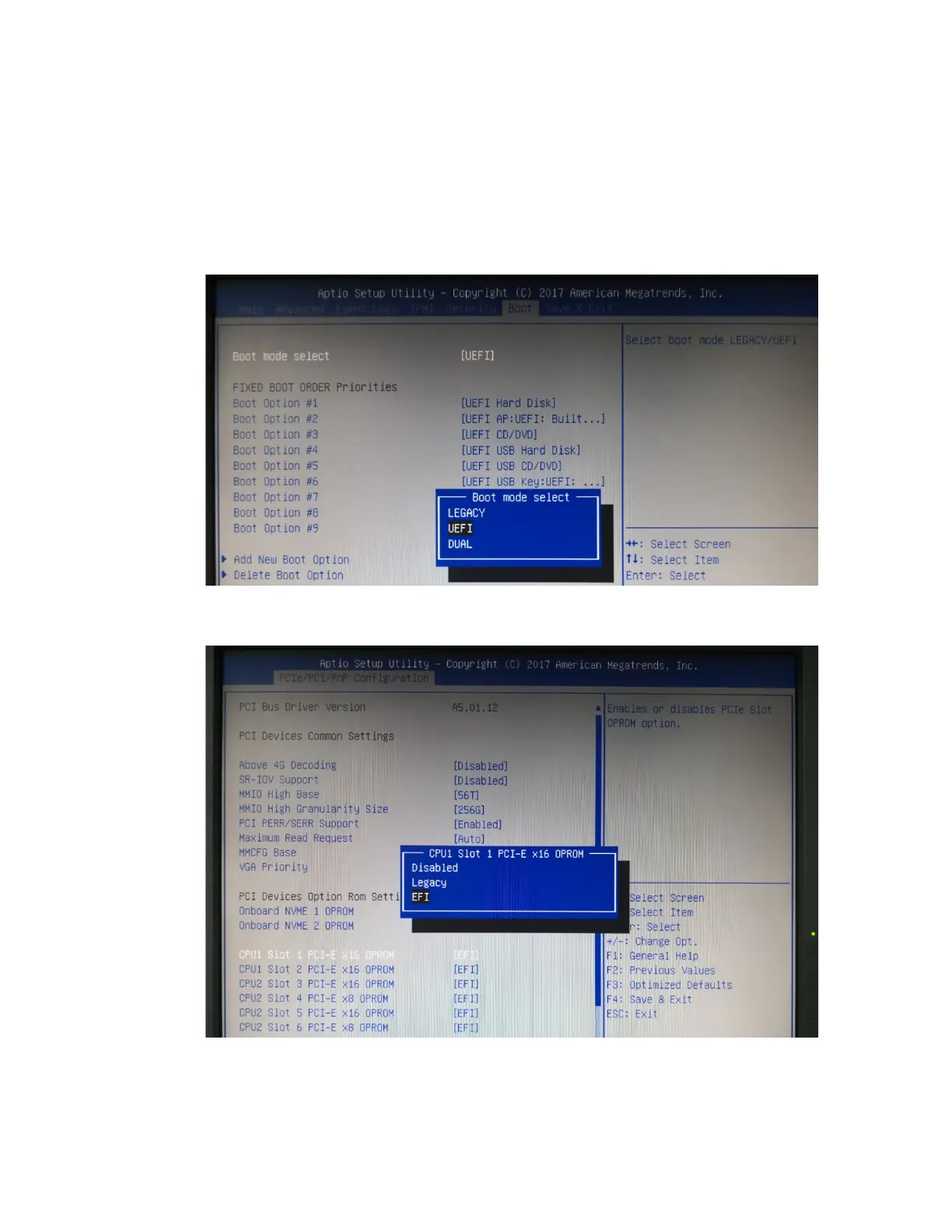
1. Example 1: Changing the UEFI setting (SuperMicro X11DAi-N motherboard).
1. Boot the system and access the motherboard BIOS menu.
2. Scroll to the Boot tab and set the "Boot Mode Select" to "UEFI";
3. Under "Advanced->PCIe/PCI/PnP Configuration->, change “CPUx Slot x PCI-E
OPROM" to "EFI". “x” represents the PCIE slot assignment. For this example, the
SSD7103 is installed into “CPU1 Slot 1”.















 To Next Page