HighPoint NVMe Boot RAID Windows Installation Guide
9
Step 4 - Install Windows
a. Insert the Windows installation media (USB flash drive or DVD), then reboot the system.
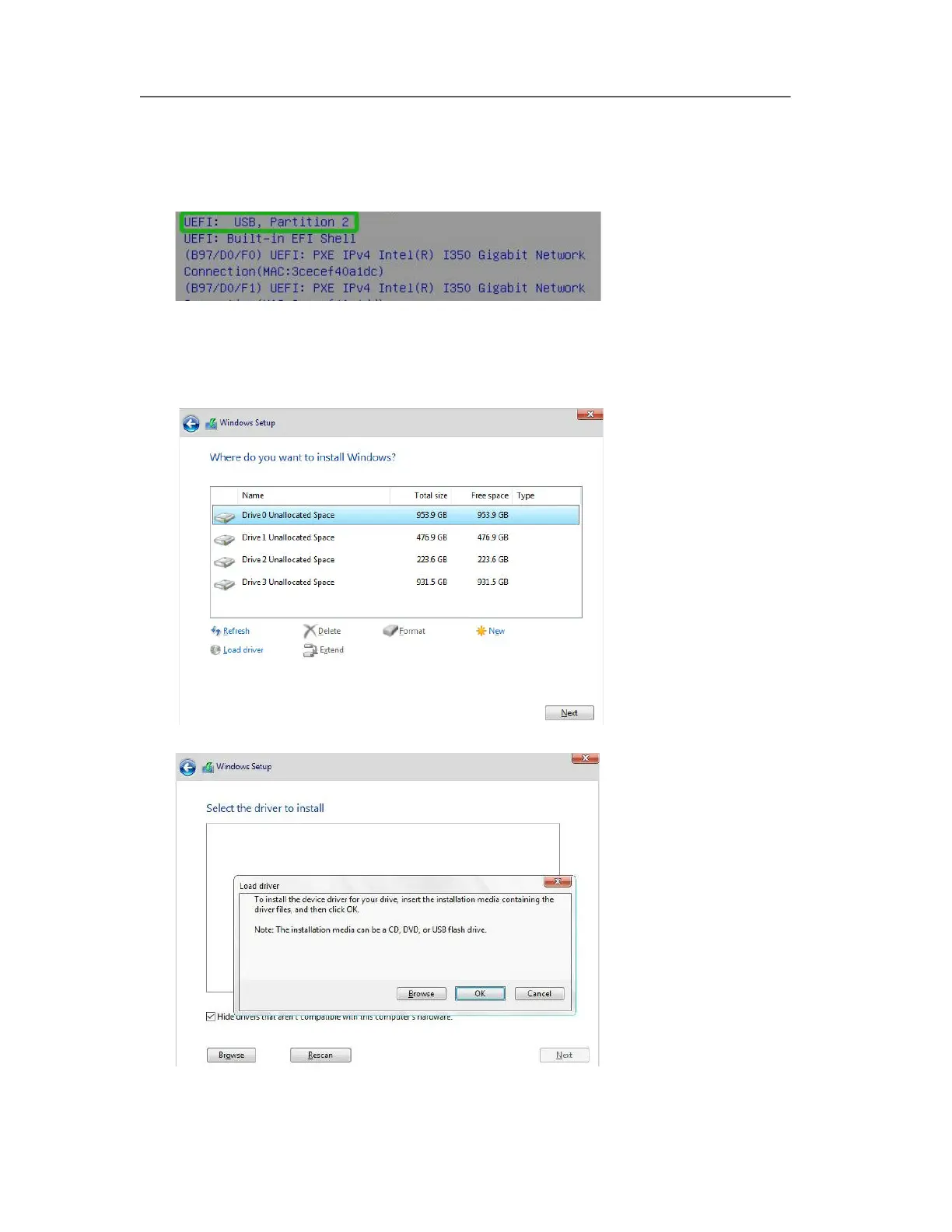
b. Enter the Boot list, and select the appropriate boot path to the Windows installation media
(the example below shows how the system’s optical drive was selected for a Windows
installation USB):
c. After Windows setup begins, follow the on-screen prompts. When Windows asks “Where
do you want to install Windows?”, you should see several Legacy disks available (one for
each SSD you have installed into the NVMe product).
Note: The screenshot below shows 4 SSD’s that have been installed into a SSD7505
controller.
d. Click “Load driver”, in the pop-up window and click “Cancel”:















 To Next Page