Digital Series Light Controller User Manual
34
Steps
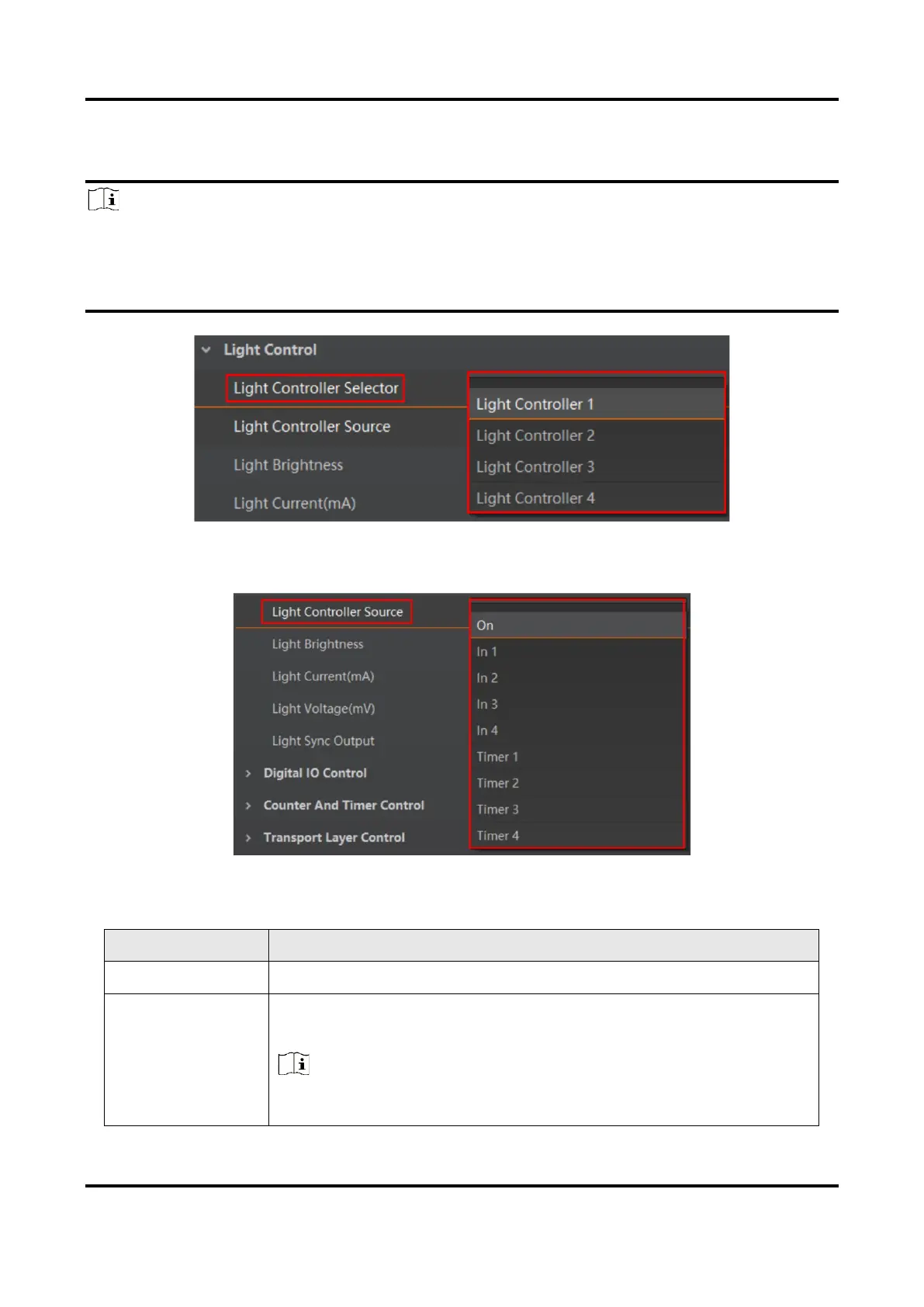
1. Select correct channel from Light Controller Selector according to light source wirings.
Note
●
Light Controller 1 to Light Controller 4 is corresponding to CH1 to CH4.
●
The type I device has four light source interfaces (CH1 to CH4), type II, IV, V and VI devices
have two light source interfaces (CH1 to CH2), and type III device has six light source
interfaces (CH1 to CH6).
Figure 6-8 Light Controller Selector
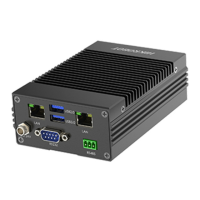
2. Select different working modes from Light Controller Source.
Figure 6-9 Light Controller Source
Table 6-3 Light Controller Source Description
Use trigger input interface signal (IN 1/2/3/4) to control light
source output.
Note
●
The type II, IV, V and VI devices support In 1 and In 2.
●
Type III device supports In 1/2/3/4/5/6.



 To Next Page