Digital Series Light Controller User Manual
38
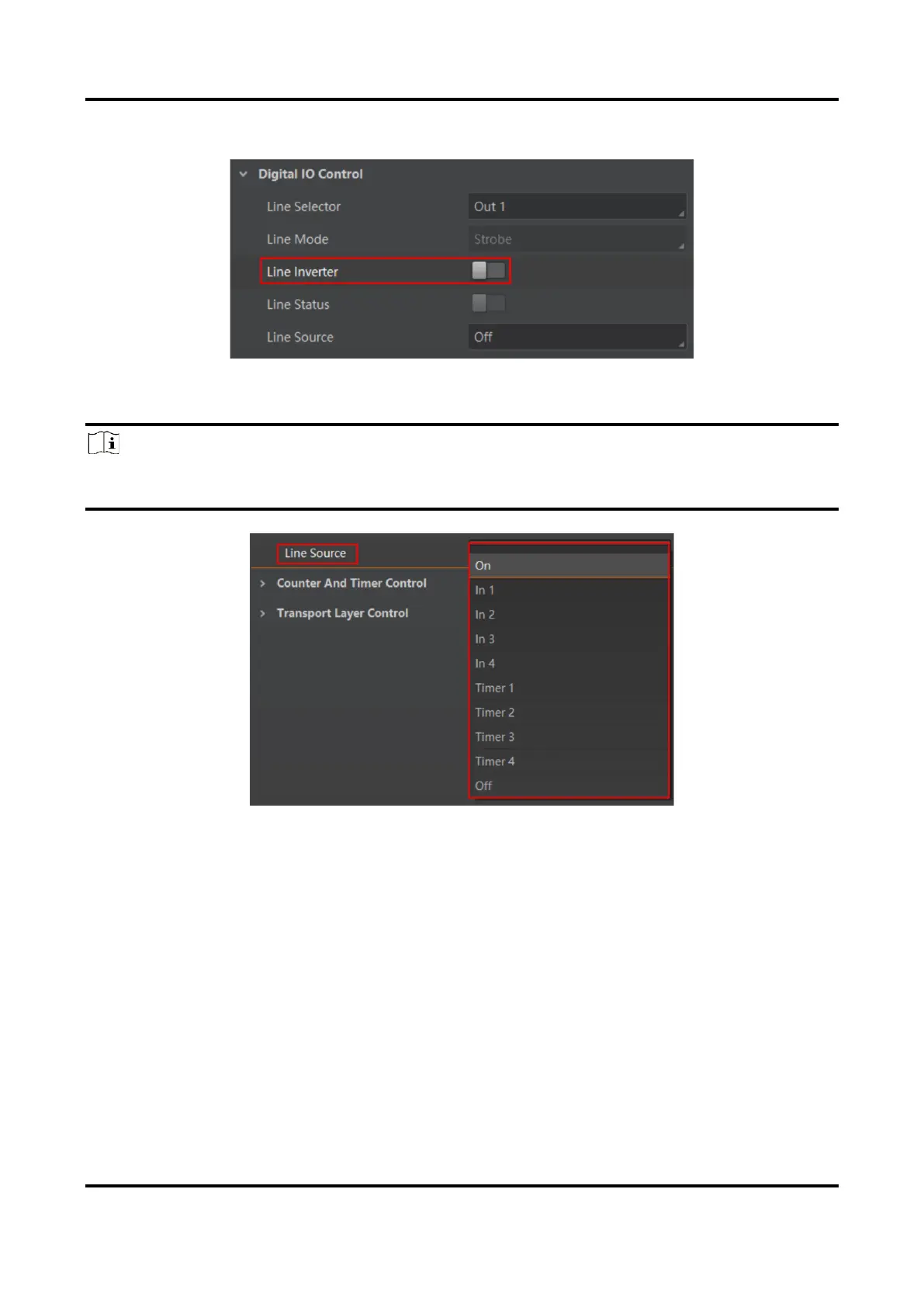
2. (Optional) Enable Line Invert to invert selected electrical level status of output signals.
Figure 6-17 Enable Line Inverter
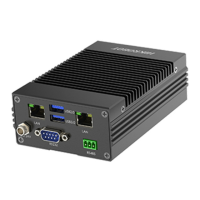
3. Select the signal source of outputted signals in Line Source.
Note
●
Type II, IV, V and VI devices support input 1/2 corresponding IN 1 and IN 2.
●
Type III device supports input 1/2/3/4/5/6 corresponding IN 1/2/3/4/5/6.
Figure 6-18 Select Line Source
6.7 Set Timer Control
The timer control can output the corresponding signal by setting the high level and low level
duration of the timer signal, under the condition of the selected timer mode and
corresponding parameters. You can go to Counter and Timer Control to set related
parameters.
Before You Start
Make sure light sources are connected to the corresponding interfaces and other wirings
completed.



 To Next Page