Digital Series Light Controller User Manual
46
7.2.2 Serial Port Control via Controller
Before You Start
Use serial port cable to connect the device to a PC via serial port.
Steps
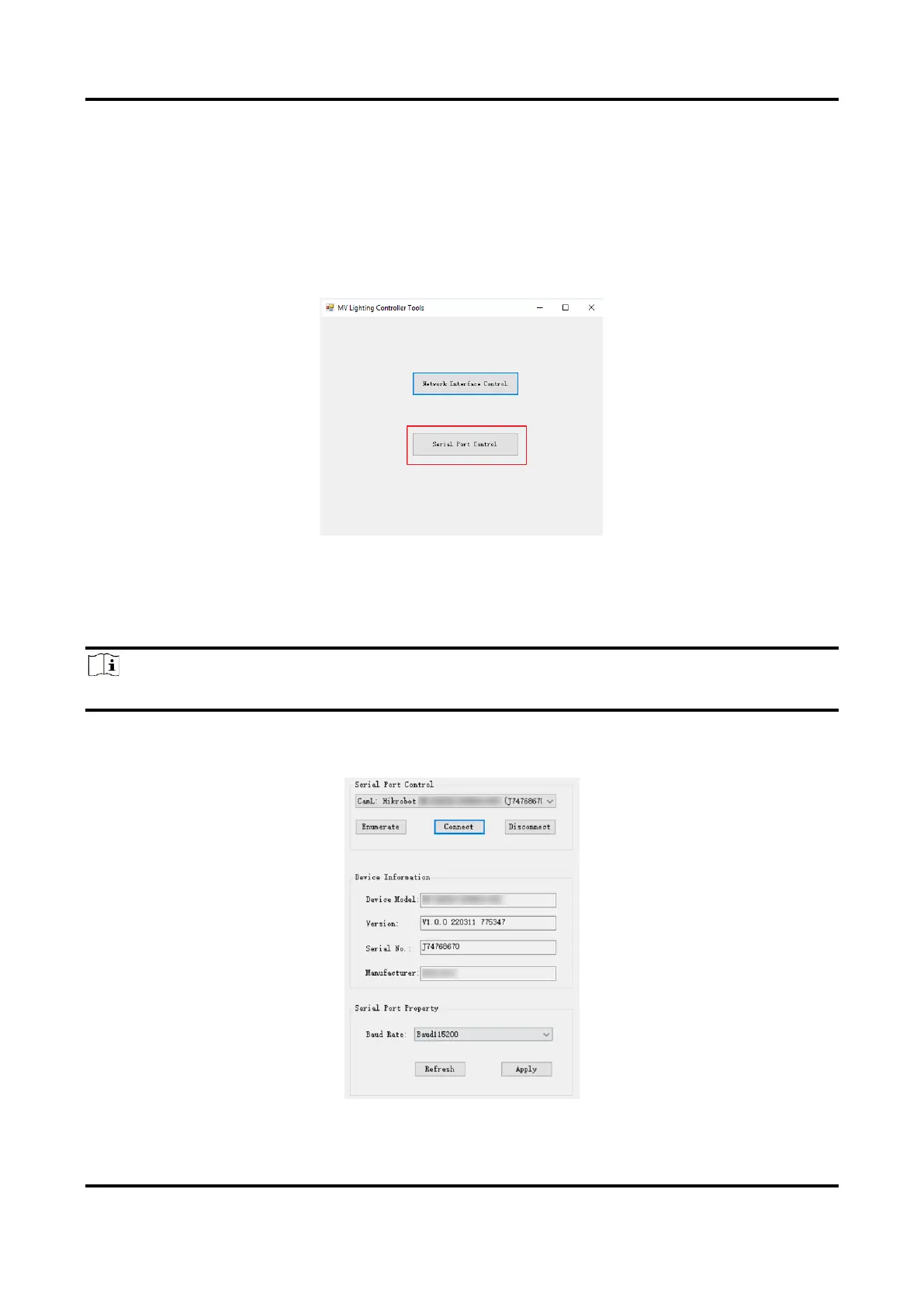
1. Run the digital light controller and select Serial Port Control.
Figure 7-4 Select Serial Port
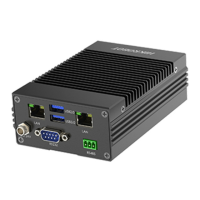
2. Click Enumerate and select the device according to actual demands.
3. Click Apply after selecting Baud Rate according to actual demands.
4. (Optional) Click Refresh to get the current baud rate of the device.
Note
Make sure that the device’s IP is in the same network segment with that of the PC.
4. Click Connect and the controller will display the device information, and you can set
parameters accordingly.
Figure 7-5 Serial Port Connection



 To Next Page