Digital Series Light Controller User Manual
40
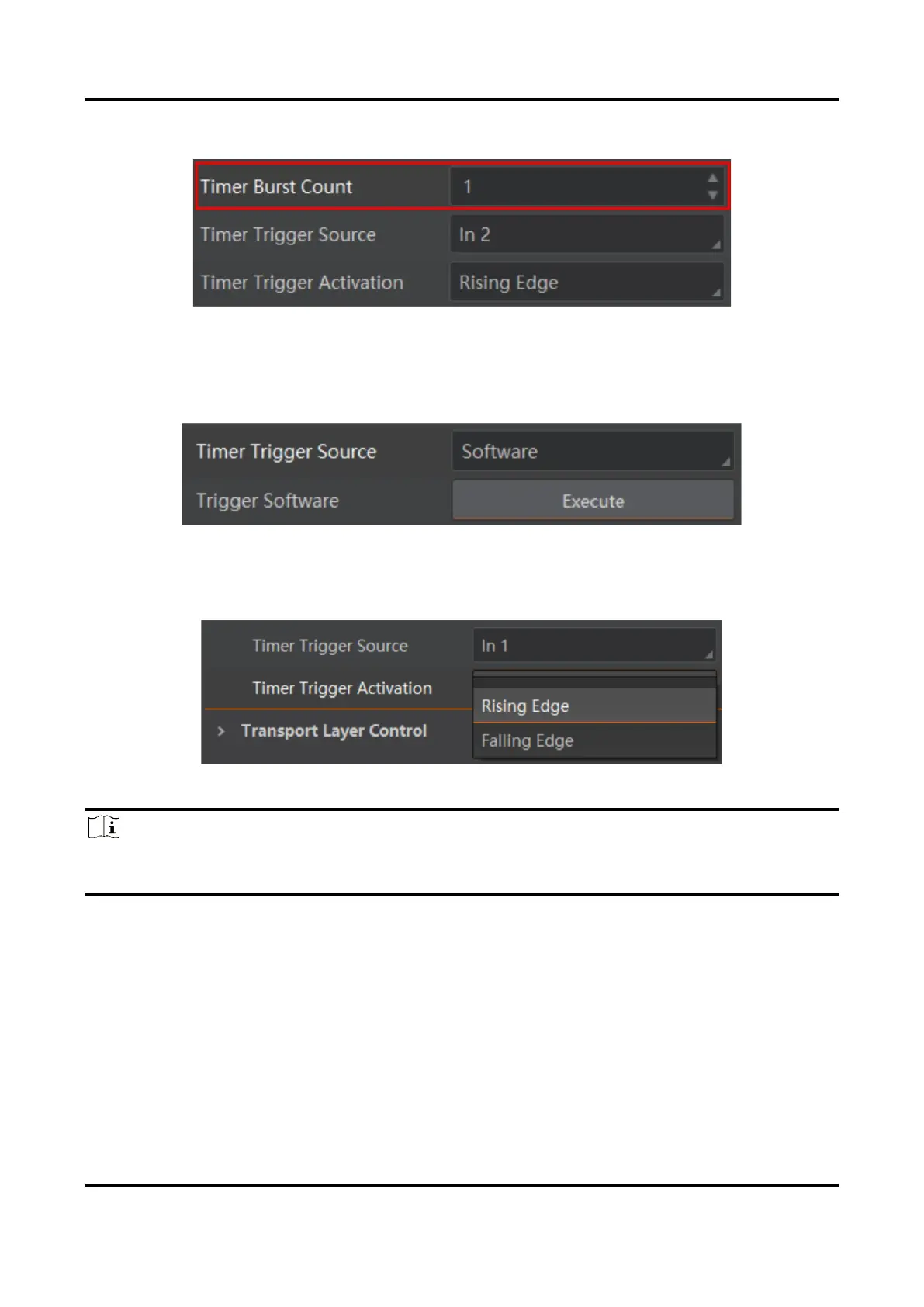
4. Set Timer Burst Count to configure burst count of the light source.
Figure 6-22 Timer Burst Count
5. Set Timer Trigger Source according to actual demands.
●
If Software is selected as Timer Trigger Source, you can click Execute in Trigger Software
to send trigger signals to the device.
Figure 6-23 Software Trigger
●
If In 1 to In 4 is selected as Timer Trigger Source, the external device sends trigger signals
to the device, and you can set trigger activation in Timer Trigger Activation.
Figure 6-24 Set Hardware Trigger
Note
●
The type II, IV, V and VI devices support In 1 and In 2.
●
Type III device supports In 1/2/3/4/5/6.
6.8 Device Control
You can go to Device Control to view the device’s information, and detailed parameters are
as followed.


 To Next Page