Digital Series Light Controller User Manual
39
Steps
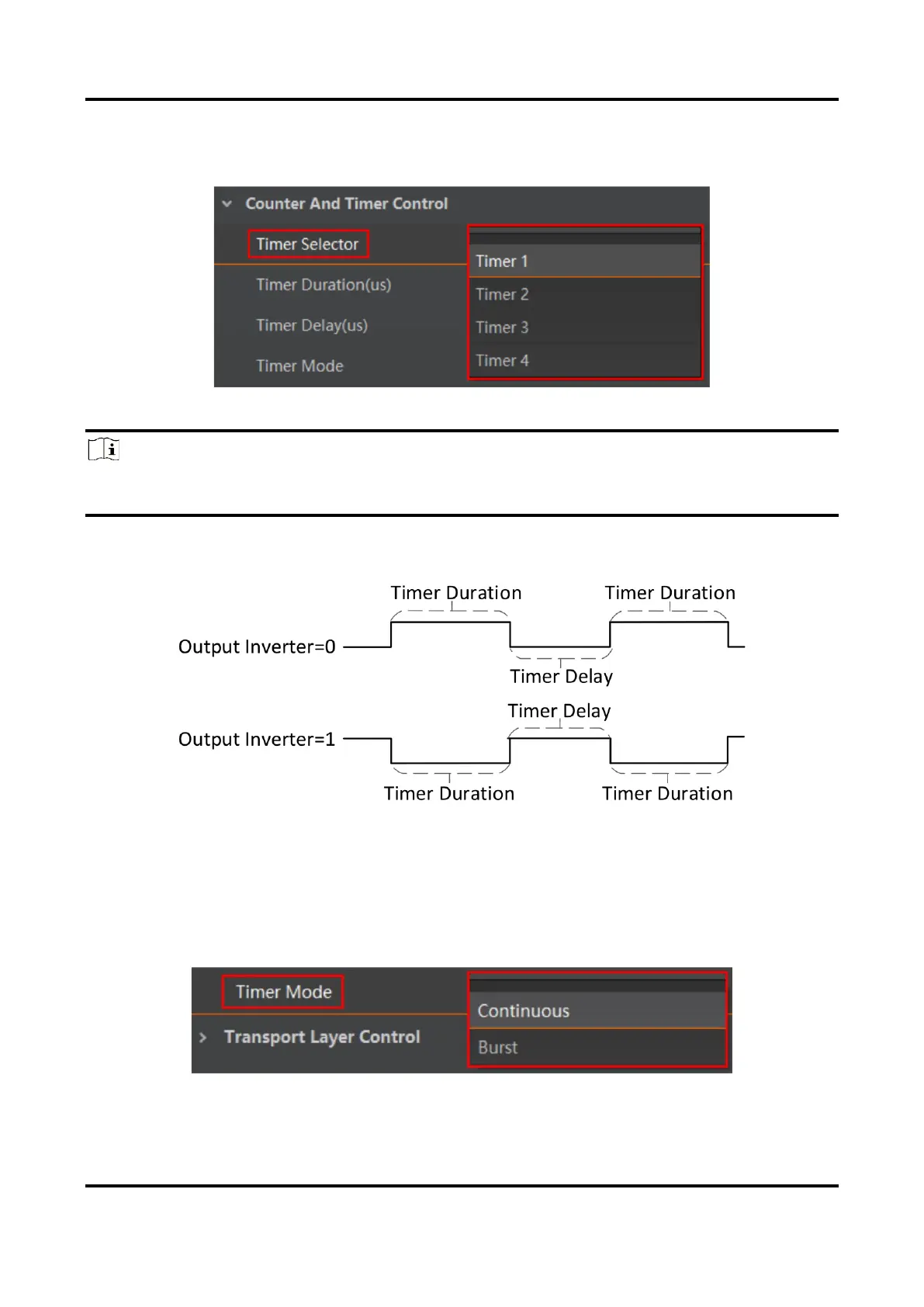
1. Select one timer from Timer Selector.
Figure 6-19 Select Timer Selector
Note
●
The type II, IV, V and VI devices support Timer 1/2.
●
Type III device supports Timer 1/2/3/4/5/6.
2. Set Timer Duration and Timer Delay according to actual demands. The principle of timer
output is shown below.
Figure 6-20 Principle of Timer Output
3. Set Timer Mode according to actual demands.
●
Continuous: The device outputs signals continuously in accordance with configured
Timer Duration and Timer Delay.
●
Burst: If Burst is selected as Timer Mode, you need to follow steps below to set other
parameters.
Figure 6-21 Select Timer Mode



 To Next Page