Quick Operation Guide of Digital Video Recorder
36
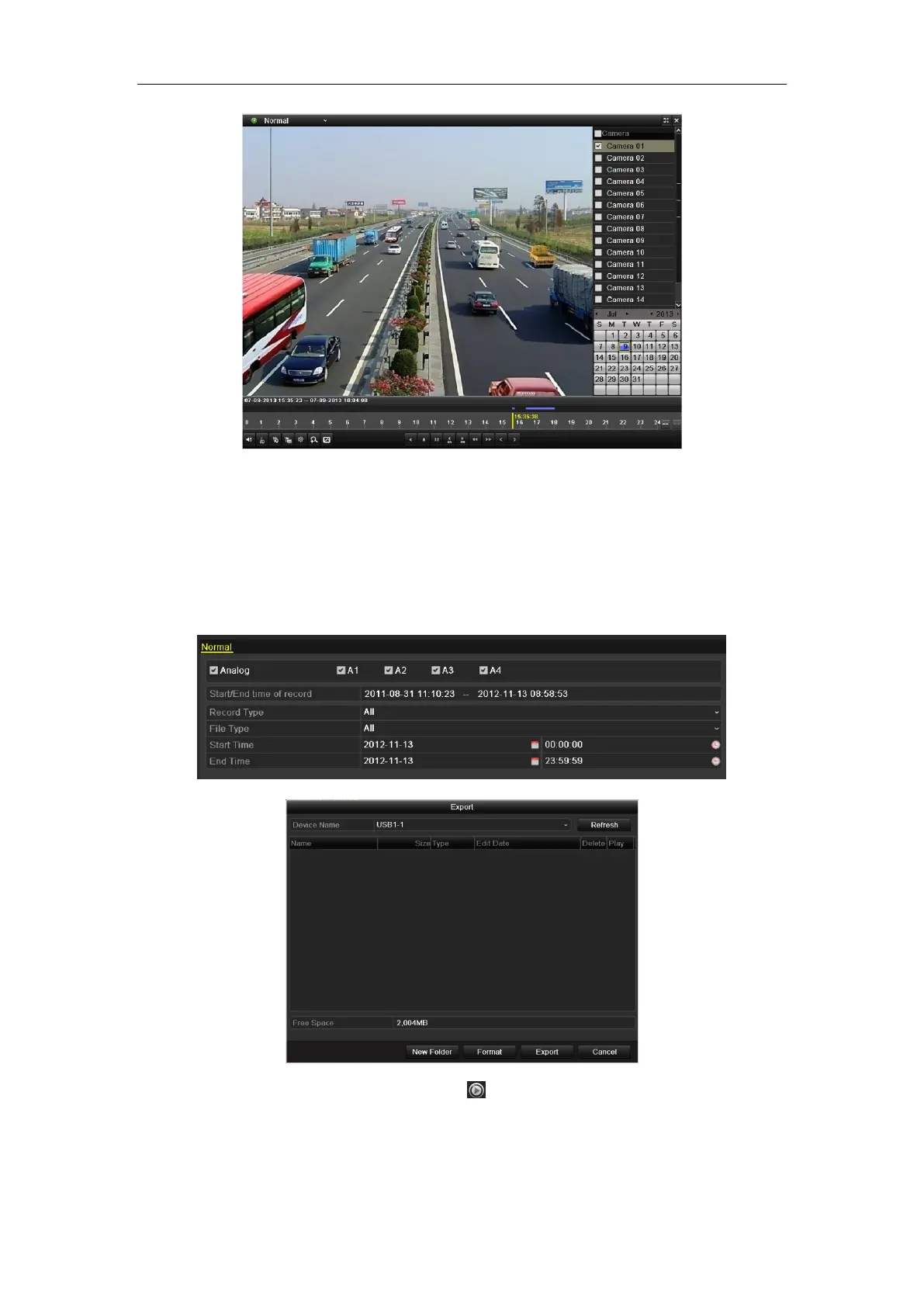
Just check the channel or channels if you want to switch playback to another channel or execute simultaneous
playback of multiple channels.
Backup
Recorded files can be backed up to various devices, such as USB flash drives, USB HDDs or USB DVD writers.
To export recorded files:
1. Enter Video Export interface.
Choose the channel(s) you want to back up and click the Quick Export button.
2. Enter Export interface, choose backup device and click the Export button to start exporting.
3. Check backup result.
Choose the record file in Export interface and click button to check it.


 To Next Page
 Loading...