2.3 Wall Mounng
Mount the device on a at and stable wall with 2 M4 expansion bolts.
Steps
Note
It is ease to take down the device for wall mounng. Please mount with cauon.
1.
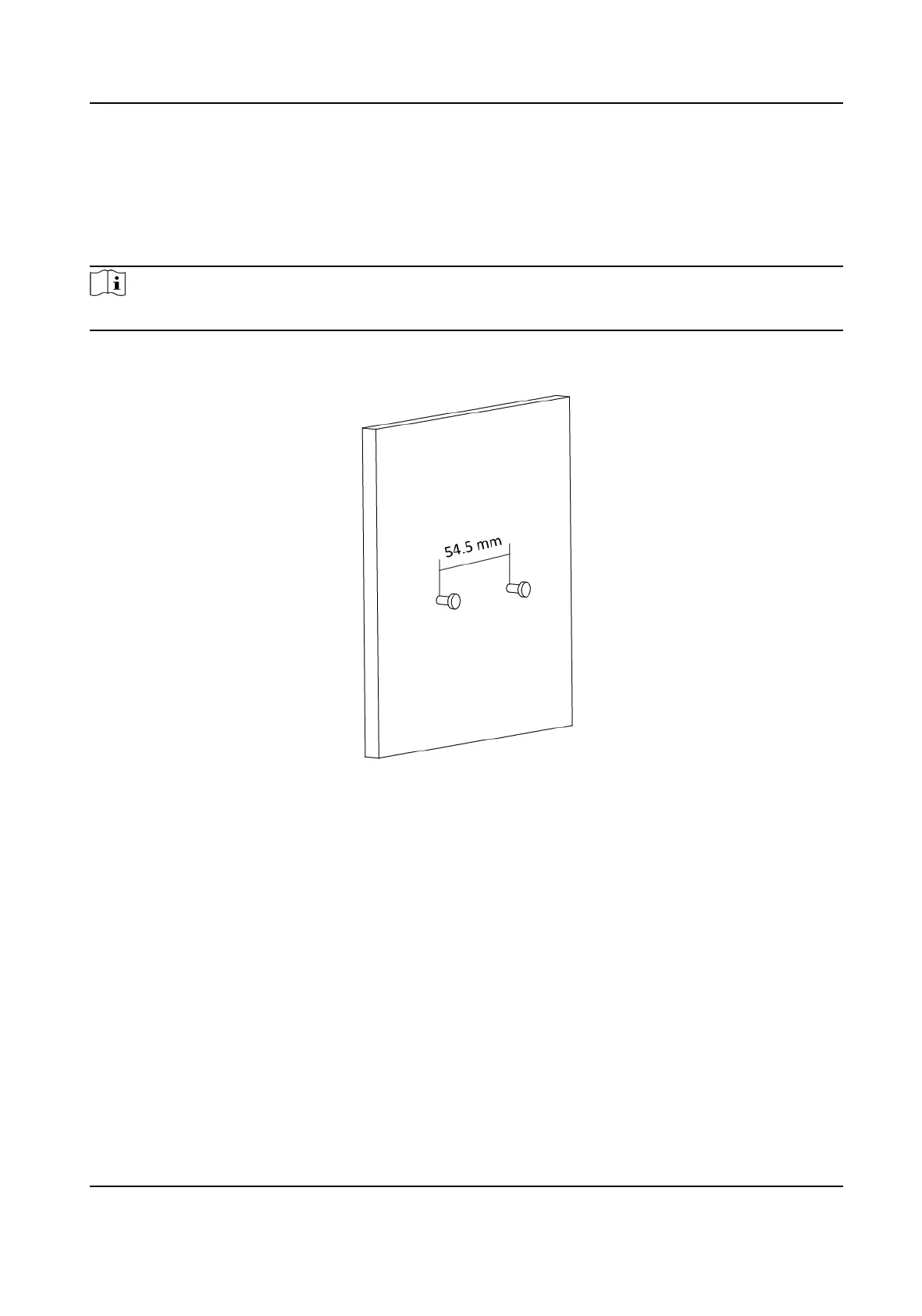
Drill two parallel holes, about 54.5 mm apart.
2.
Insert the bolts into the pre-drilled hole, leaving 5 mm length out of the wall.
Figure 2-3 Expansion Bolt Posion
3.
Align the bigger round hole of the hanging hole with the bolts, and hang the device on the bolts.
Wireless Bridge Quick Start Guide
7


 To Next Page
 Loading...