2.4.1 AP Connecon
Steps
1.
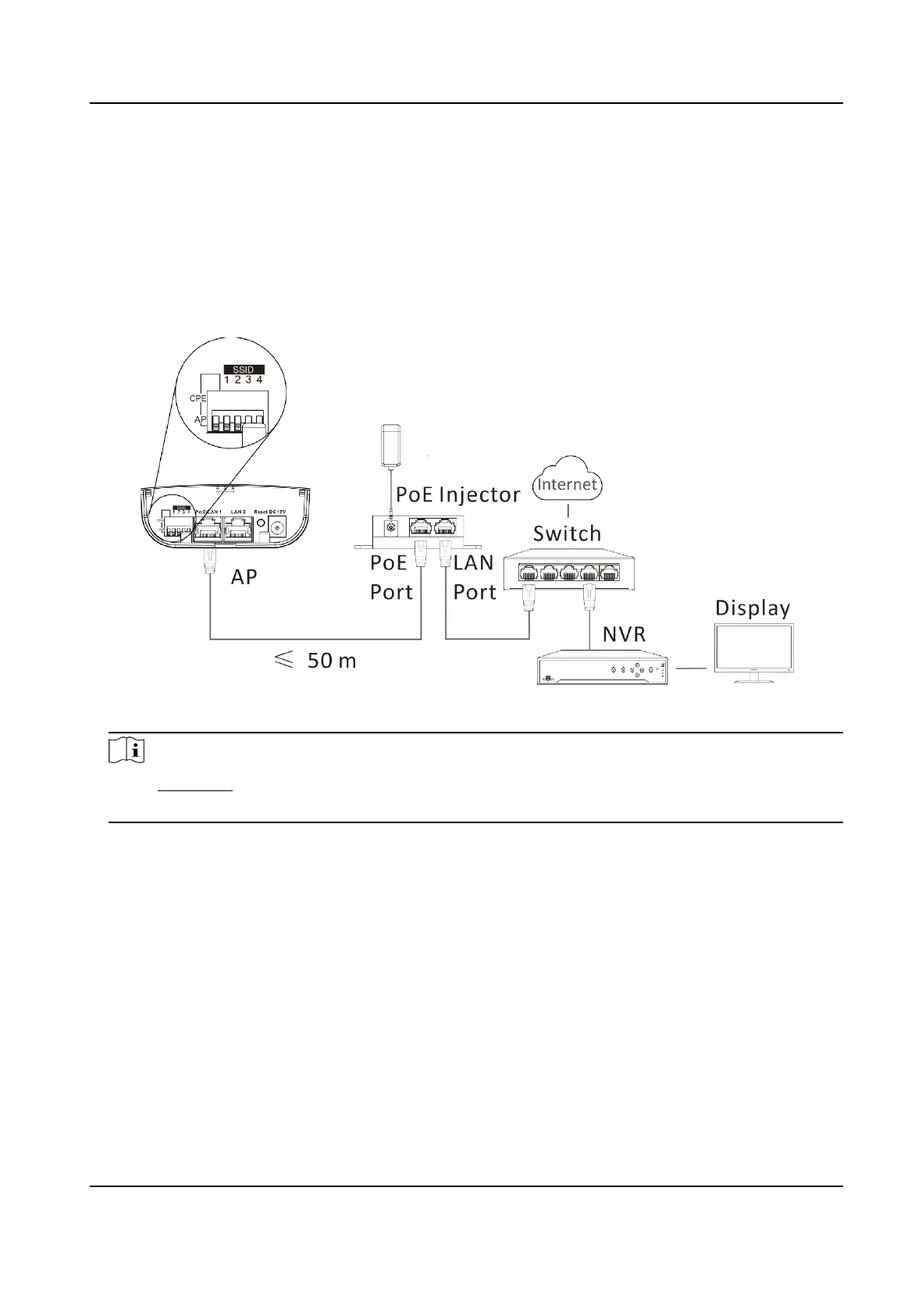
Switch the CPE/AP DIP to set the device as AP.
2.
Select an SSID No.
Example
SSID No. 1 (All Down).
Figure 2-6 AP
Connecon
Note
●
See Table 1-2 for detailed informaon about SSID No.
●
The PoE injector must be connected to an earthed mains socket-outlet.
2.4.2 CPE Connecon
Steps
1.
Switch the CPE/AP DIP to set the device as CPE.
2.
Select the SSID No. set on the AP to match.
Example
SSID No. 1 (All Down).
Wireless Bridge Quick Start Guide
9


 To Next Page
 Loading...