24
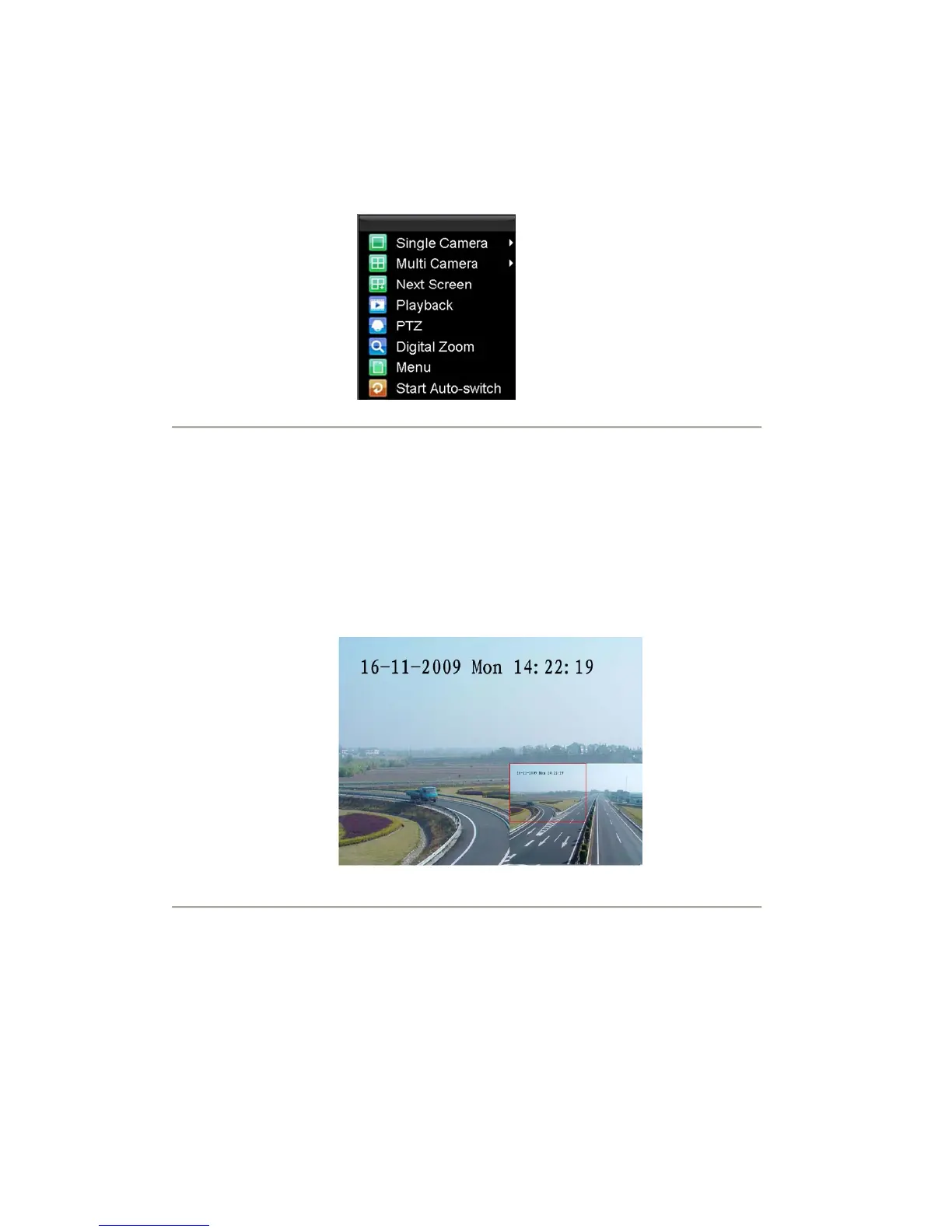
• PTZ: Enter PTZ Control mode of the selected camera.
• Digital Zoom: Enter Digital Zoom interface of the selected camera.
• Menu: Enter Main menu.
• Start Auto-switch: Enable multi-camera sequence in Live View mode.
Note: The dwell time of the live view configuration should be set before using Start Auto-switch function.
Figure2. Live View Mouse Menu
Digital Zoom
To use digital Zoom in Live View mode:
1. Right-click the mouse in Live View mode.
2. Select Digital Zoom from drop-down submenu.
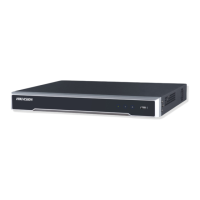
3. Left-click and drag the red box to the desired area for zooming. The zoomed image will be
magnified
by 4 times. An example is given in the following figure:
Figure3. Digital Zoom
Display
Click Menu >Settings >Display to access the Display settings:









 To Next Page