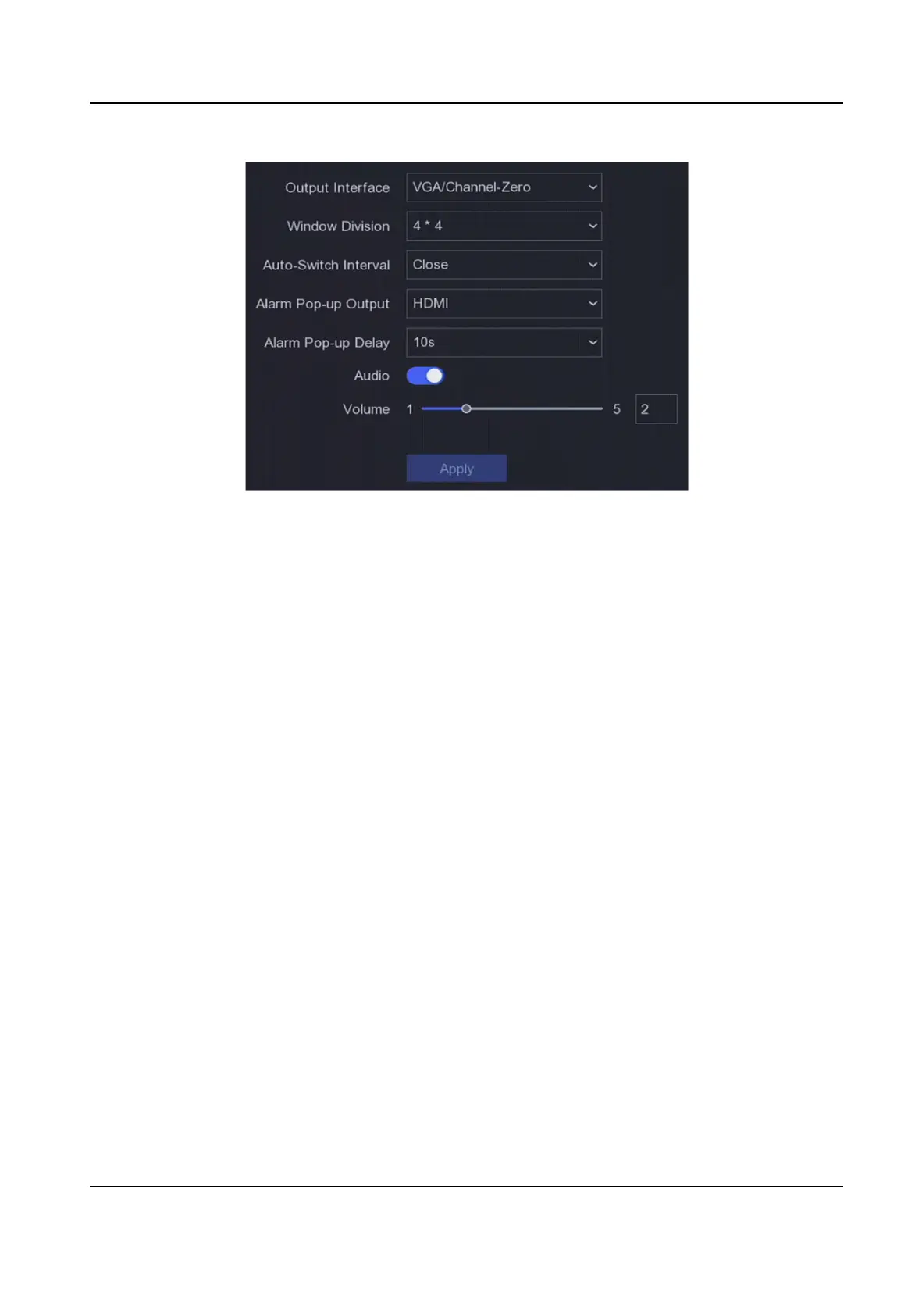
Figure 6-1 Live View-General
2.
Congure the Live View parameters.
Window Division
Select the live view window division.
Auto Switch Interval
The me to dwell in a camera before switching to next camera when auto-switch in live view
is enabled.
Alarm Pop-up Output
Select the output to show alarm video.
Alarm Pop-up Delay
Set the
me to show alarm event image.
Audio
Turn on/o audio output for the selected video output.
Volume
Adjust the live view, playback, and two-way audio volume for the selected video output
interface.
3.
Click Apply.
Congure
Live View Layout
Steps
1.
Go to Conguraon → System → Live View → View .
2.
Set Output Interface.
Digital Video Recorder User Manual
37



 To Next Page
 Loading...





