EasyManua.ls Logo

HIKVISION DS-K4E100 - User Manual

HIKVISION DS-K4E100
3 pages
To Next Page IconTo Next Page
Loading...
Title:
DS-K4E100 Connect to Access Controller or Access
Control Terminal
Version:
v1.0
Date:
03/31/2020
Product:
Access Control Devices
Page:
1 of 6
© Hangzhou Hikvision Digital Technology Co.,Ltd. All Rights Reserved.
No.555 Qianmo Road, Binjiang District, Hangzhou 310052, China Tel: +86-571-8807-5998 • Fax: +1 909-595-0788
E-Mail: support@hikvision.com www.hikvision.com
Preparation
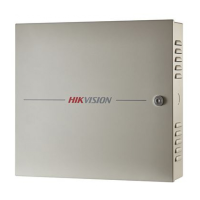
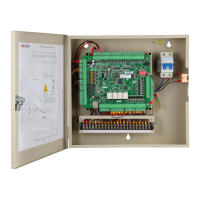
1. Access Controller 2600 series
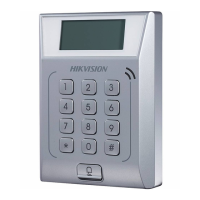
2. Access Control Terminal
3. Lock DS-K4E100
DS-K4E100 Connect to Access Controller or Access Control Terminal
This document is simply used to guide users how to wire correctly and ensure access
control terminal or K2600 controller can control lock K4E100.
K4E100 Working Principle:
The lock tongue will be extended and locked when the V+ (12V) & GND power up. And
when the L + and L- terminals are powered immediately (5V), the lock tongue will retracted
to unlock.
Question and Answer IconNeed help?

Do you have a question about the HIKVISION DS-K4E100 and is the answer not in the manual?

HIKVISION DS-K4E100 Specifications

General IconGeneral
ModelDS-K4E100
Communication ModeRS-485
Input InterfaceExit Button × 1, Door Sensor × 1
Power SupplyDC 12V, 1A
Working Humidity10% to 90% (non-condensing)
Access Control InterfaceSupports Wiegand, RS-485, etc.

Summary

Preparation Guide

Required Access Controller

Specifies the 2600 series access controller needed for connection.

Required Access Control Terminal

Identifies the access control terminal required for the setup.

Required Lock Model

Lists the specific lock model, DS-K4E100, for the connection.

Wiring Connections

Access Control Terminal Wiring

Details the wiring method for connecting the DS-K4E100 to an access control terminal.

Access Controller 2600 Series Wiring

Outlines the wiring procedure for the DS-K4E100 with the K2600 controller.

Troubleshooting Common Issues

Lock Not Engaging After Closing

Addresses problems where the lock fails to engage after closing the door.

Unlock Signal No Effect

Diagnoses issues where the unlock signal does not cause the lock to open.

Manual Unlocking Stiffness

Covers problems related to inflexible manual unlocking or stuck mechanisms.

Related product manuals