FTP
Aer
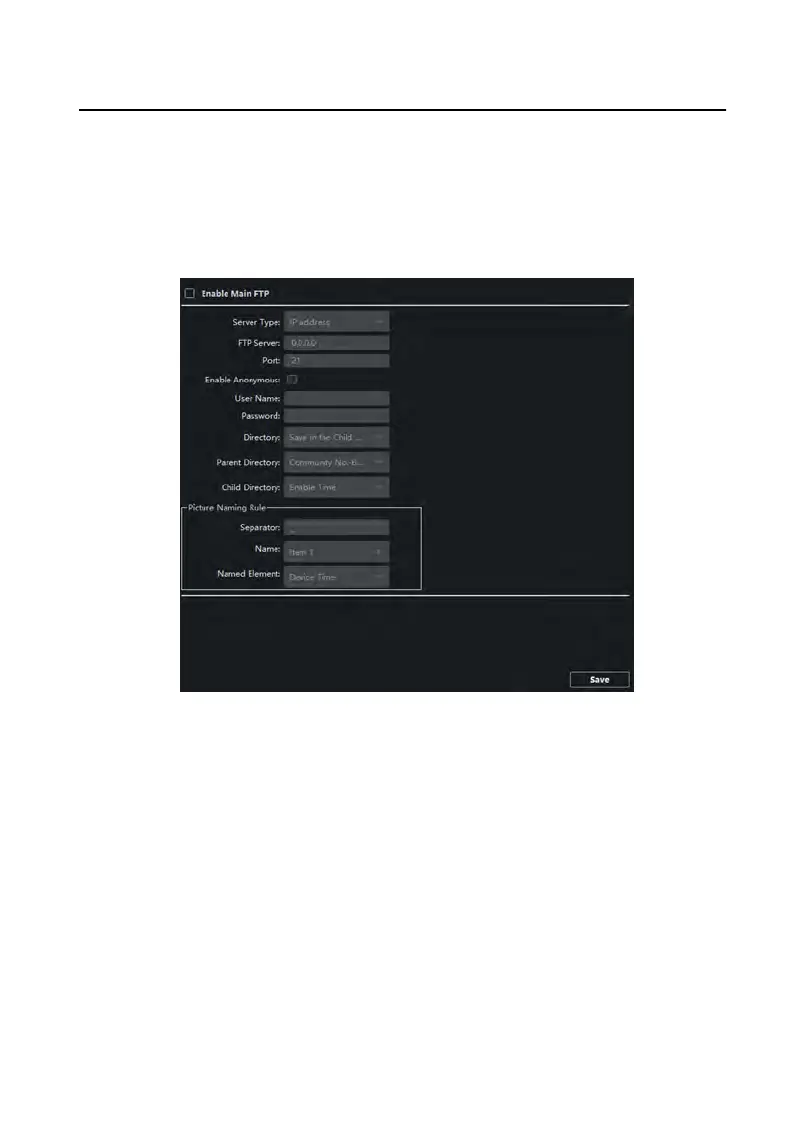
conguring the FTP parameters, the captured pictures of door staon will be
uploaded to the FTP server automacally.
Steps
1.
Click FTP to enter the FTP parameters sengs page.
Figure 6-14 FTP
Sengs
2.
Enable Enable Main FTP.
3.
Select IP addr
ess from the drop-down list of server mode.
4.
Enter the FTP server address, and port No.
5.
Oponal: Enable the anon
ymity.
6.
Enter the name and password.
7.
Select the directory structure and set the separator, naming item, and naming
element.
8.
Click Save to enable the sengs.
Video Intercom Face Recognion Door Staon with 4.3-inch Screen User Manual
30


 To Next Page
 Loading...