Steps
1.
Aer the device starts up, press the capture buon.
The device captures a picture.
2.
Oponal: Select File on the main menu to view the captured pictures.
4.2 Playback
You can play back videos, audios, and pictures via the device.
Steps
1.
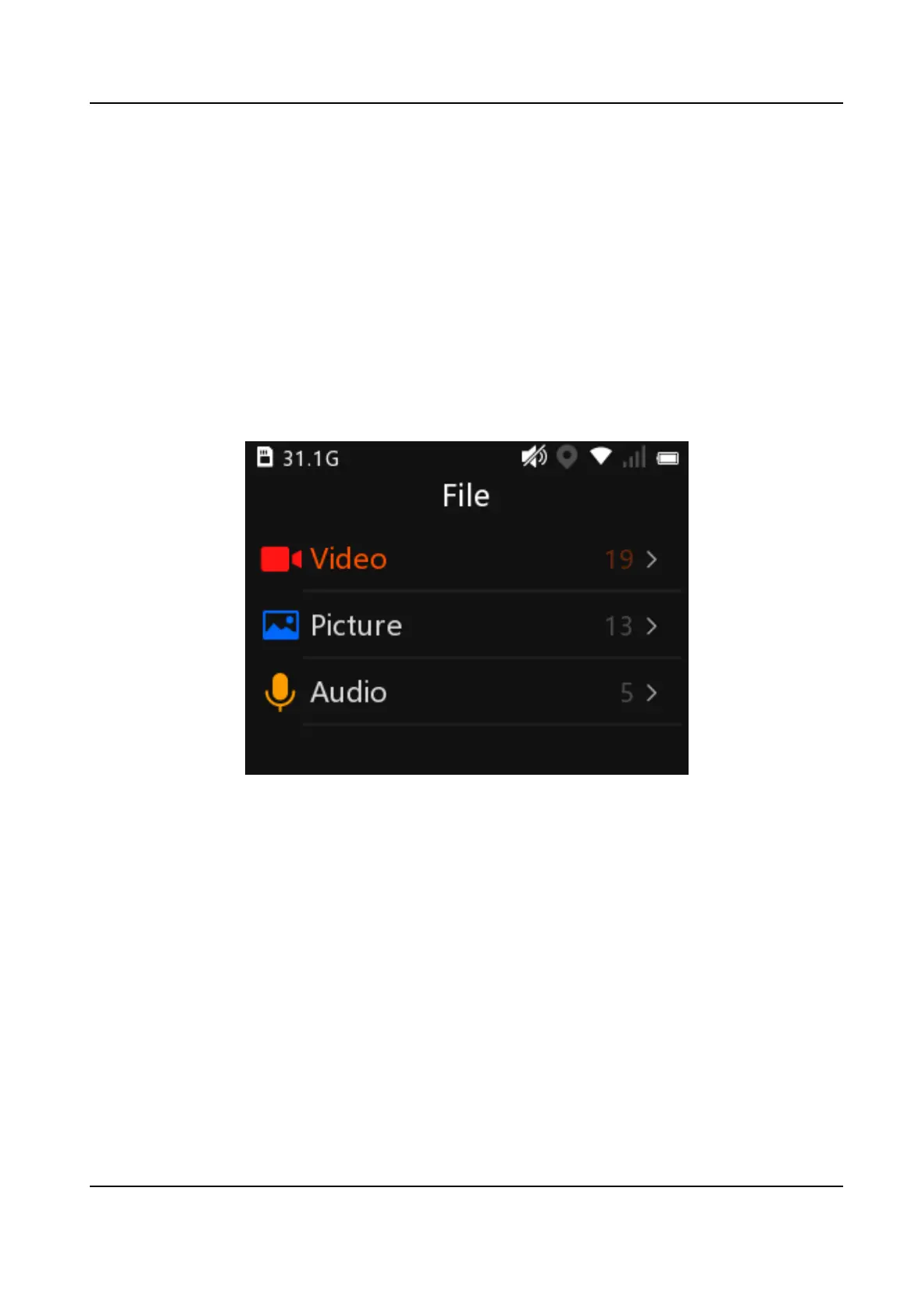
Select File on the main menu.
2.
Select Video, Picture, or Audio.
Figure 4-3 File
3.
Select the le to play or view from the le list.
4.
Oponal: You can do the following operaons during playing back videos.
Hide/Display
icons
Tap the screen to hide/display the icons on the boom of the page.
Start/Pause video
playback
Select the icon on the boom middle to start/pause video playback.
Tag the video Select the icon on the boom le to set a tag for the current video. Aer
tagging, the icon displays as the orange color. Select the icon again to
cancel the tag, and the icon displays as the white color.
Adjust the
playback speed
Select the icon on the boom right to adjust the playback speed. You can
play back the video fast forwards, in the normal speed, or slowly
forwards.
Body Camera User Manual
9



 To Next Page