Chapter 2 Acvaon
Acvate the device for the rst-me use.
Steps
1.
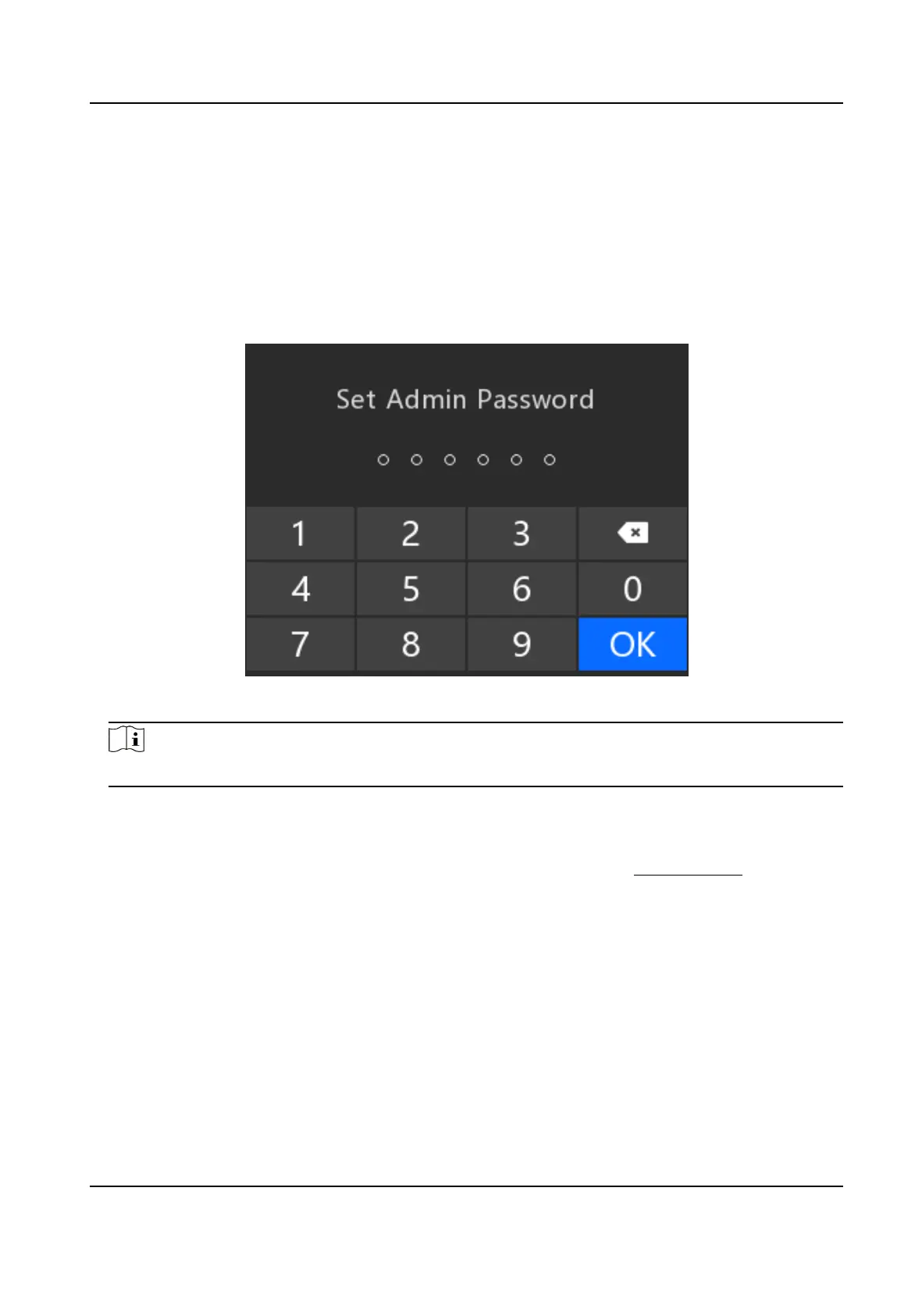
Aer you start up the device, you will enter the acvaon page. Set a custom 6-digit admin
password, and select OK.
Figure 2-1 Acvaon
Note
The password can contain the same numbers.
2.
Conrm the password, and select OK.
3.
Select Use Now.
4.
Oponal: If you want to change the password aer acvaon, you can enter Set → System →
PWD
Vericaon → Edit Password to change the password. Refer to Edit Password for details.
Body Camera User Manual
2













 To Next Page