Result
The white dial icon appears on the status bar, indicang dialing succeeded.
6.3 Connect to Wi-Fi
Set Wi-Fi parameters if you want to connect the device to the network via Wi-Fi.
Steps
Note
●
Dial-up will be disabled aer Wi-Fi is enabled.
●
Wi-Fi cannot be enabled in USB mode.
1.
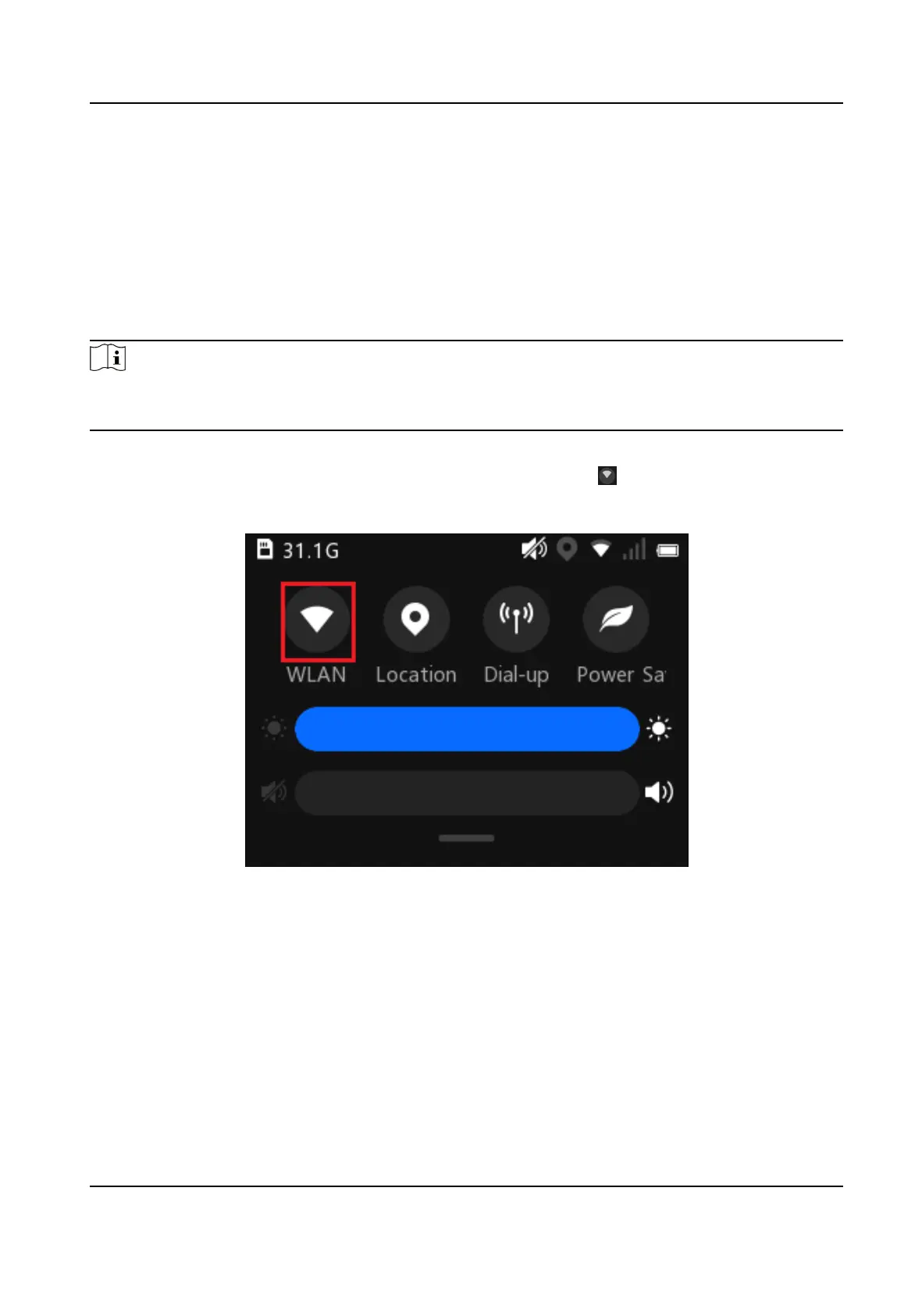
Enable the Wi-Fi via the below operaons.
-
Swipe the screen down to open the
nocaon center. Select to enable Wi-Fi. You can hold
the icon to enter the
sengs page.
Figure 6-5 Enable Wi-Fi from Nocaon Center
-
On the main menu, select Set → Network → WLAN to enable WLAN.
Body Camera User Manual
19



 To Next Page