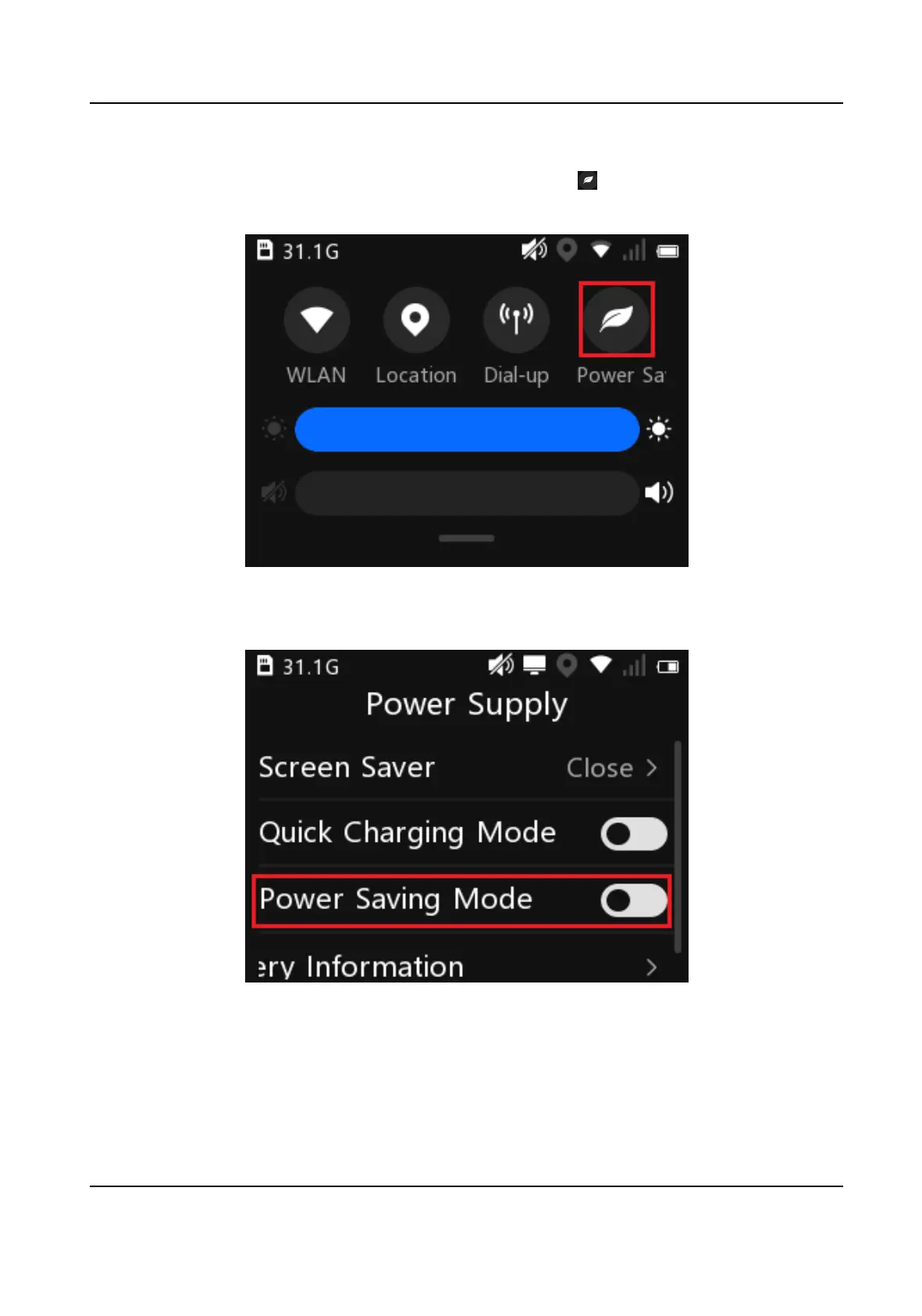
Enable power saving mode via the below operaons.
●
Swipe the screen down to open the nocaon center. Select to enable power saving mode.
You can hold the icon to enter the sengs page.
Figure 7-1 Enable Power Saving Mode from Nocaon Center
●
On the main menu, select Set → System → Power Supply and enable Power Saving Mode.
Figure 7-2 Enable Power Saving Mode from System Sengs
Body Camera User Manual
26














 To Next Page